If your Artificer reward is missing in Enshrouded, open Twitch's Drops Inventory and check that the specific reward shows as claimed. Then load your character and collect it from Twitch Drops in the in-game menu. The Artificer campaign started on 3 November 2026 on Steam and PS5, and you can earn watch time until 2pm GMT on 17 November. Where the reward stops appearing tells you which step to check next.
Check which reward is missing
Find the Enshrouded Artificer campaign in Drops Inventory. Check the individual item you want, since the progress shown for one reward can be different from the next. Boots and trousers come together at 30 minutes. The gloves follow at an hour, the chest piece at 90 minutes and the Star Map at two hours. The helmet completes the outfit at three hours. Keep watching to four hours for the Animated Ancient Globe.
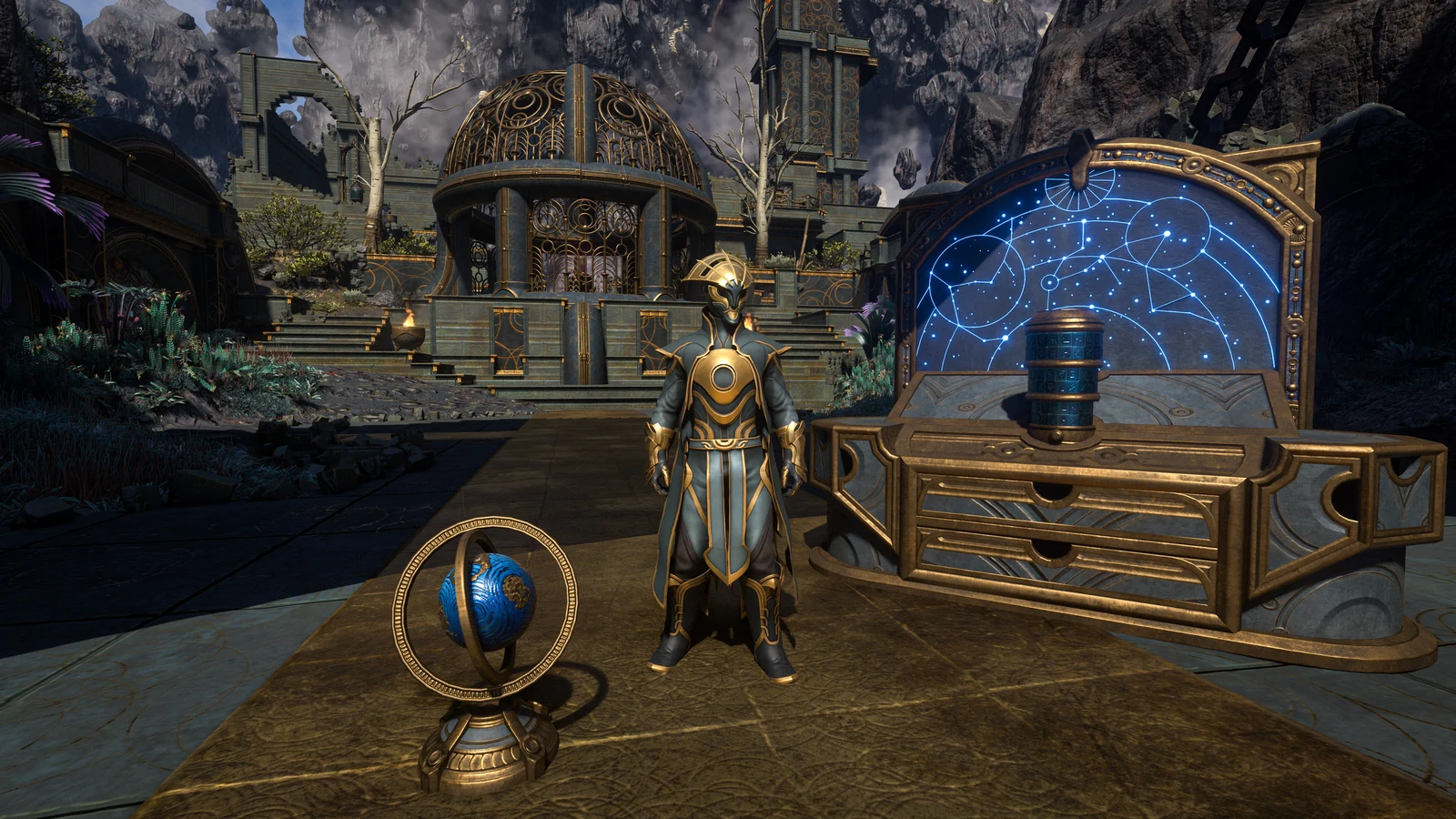
If the counter has stalled, open an eligible live Enshrouded stream and look for the Drops Enabled tag or the Drops notice in chat. Use a web browser or the Twitch mobile app, including when you play Enshrouded on PS5. Watch one participating channel at a time. You can switch channels and pick up where you left off while the campaign is active. If the item is ready to claim, collect it in Drops Inventory before going back to the game.
Check the account receiving the reward
When Twitch shows the drop as claimed, open the Enshrouded Twitch Drops page and check the platform account you signed in with. Use Steam for the copy in your Steam library or PS5 for the PlayStation account you play on. Then check that the Twitch account connected there is the one whose Drops Inventory shows the claim. This matters if your browser already had another account signed in when you set up the link.
If an old Twitch account is still linked and you can no longer sign in to it, sign in to the Drops page with the affected Steam or PlayStation account and choose Unlink account. Then choose Connect to Twitch and sign in with the account you want to use. If the reward was already claimed under a different account, check that claim with support before counting on it appearing under the new link.
Collect the item on your character
Load the character you want to use, make room in their backpack and open Twitch Drops from the in-game menu. Select the reward to put it in that character's inventory. If the item you just claimed on Twitch is missing from the submenu, return to the main menu, load back in and check again. To use an outfit piece on another character, open the same submenu with that character and collect it again.
If the claim went through on Twitch and the linked account is correct but the item still doesn't appear in Enshrouded, contact Keen Games support with the item name, your platform and a screenshot of the claimed reward. If the counter stays stuck on Twitch or Twitch refuses the claim, take that to Twitch Support.
Pick up the rewards by playing
If you run out of viewing time, you can still hunt for the five outfit pieces in Embervale. For your first Journal hint, unlock Mei-Yin Chen and Loraine Crim, finish all the Beacon Dungeons and speak to Mei before starting the set. If you've already started collecting it, check your Journal for your current hints. For the two decorations, complete Find the Orrery Rings to unlock their recipes. If you're returning with an older character, check how Enshrouded carries your Early Access saves into 1.0 before picking up your progress.
Sources
Where this story comes from, and where you can check it.
Official sources
- Keen GamesNew Drops - Through Adversity, to the Stars ↗
- Keen GamesEnshrouded - Twitch Drops ↗
- Twitch HelpHow Drops Work ↗