Open Daily Reward in War Thunder and check the number next to Available. Each Freeze covers one missed login day. With enough in that balance to cover your whole break, the game spends them automatically and you pick up your reward streak where you left off.
Freezes arrived with Eagle's Shadow on 11 November 2026. The system applies to the main game on PC, Mac, Linux, PS4, PS5, Xbox One and Xbox Series X|S. You can also use the same Gaijin account in War Thunder Mobile to build the shared Freeze balance.
Read the two numbers under your rewards
Look below the reward crates in the Daily Reward window. The blue bar on the left shows how many login days you've put towards your next Freeze. A reading of 7/12 means you need five more login days to earn one. On the right, Available: 0/30 means you have zero Freezes to spend out of a possible 30.
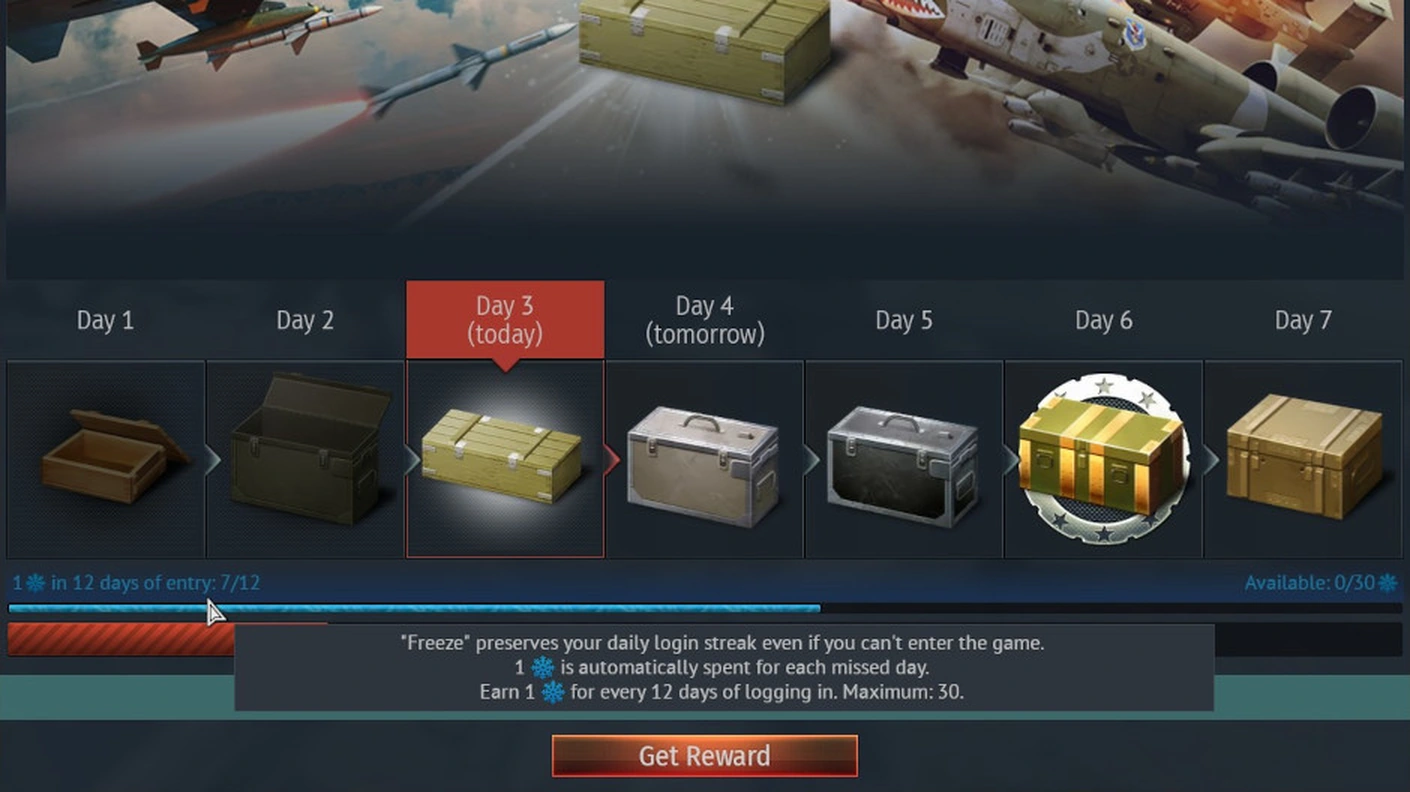
Log in on 12 separate days to earn one Freeze. The days can be spread out, and you keep your progress towards the next point through a break. You earn Freezes on a free account, too. For the separate allowance that lets you respawn in a destroyed vehicle, check your daily universal backups.
Check how much of your break is covered
Compare Available with the full number of days you'll miss. With four Freezes and a three-day gap, you'll see one Freeze left after the game covers your absence, before counting any newly earned point. When you return, check the used count in Daily Reward and look for your streak to continue from where you left off.
With four Freezes and a five-day gap, your streak resets and all four points stay in your balance. You can keep earning towards the next point when you log in again.
Use the shared balance on mobile
Sign into War Thunder Mobile with the Gaijin account you use for the main game. Bind an email to your main account first if you created it through Steam, PlayStation or Xbox and still sign in through that platform alone. With the same account connected, a day you log into either game counts once towards your next Freeze.
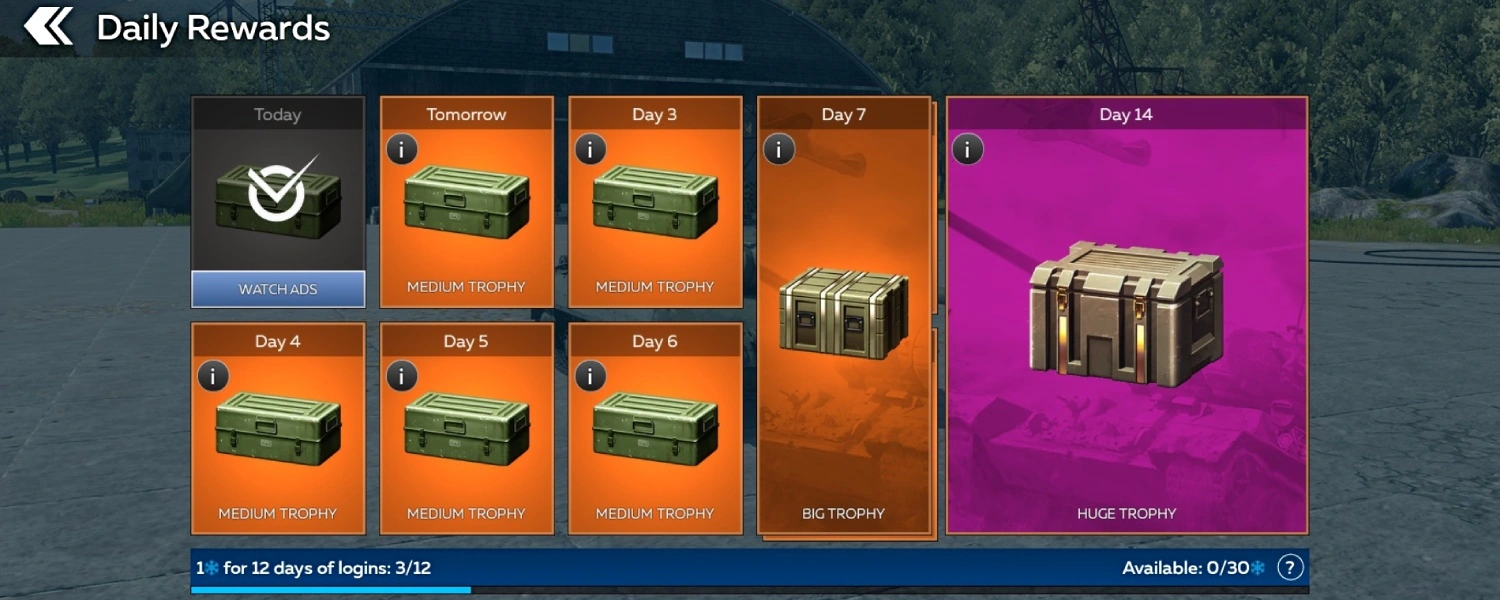
Open Daily Rewards on mobile and check the blue bar below the trophies. Tap the question mark next to Available to read the rules. When the two games have different gaps, the system checks the shorter one against your shared balance. On your next mobile login, look for a message showing how many Freezes were spent.
Sources
Where this story comes from, and where you can check it.
Official sources
- Gaijin EntertainmentWar Thunder "Eagle's Shadow" - Changelog ↗
- Gaijin EntertainmentMeet the "Eagle's Shadow" Major Update! ↗
- Gaijin EntertainmentWork-In-Progress: Freezing Daily Login Streaks ↗
- War Thunder Mobile[Announcement] "Freezing" Login Streaks ↗
- Gaijin SupportLinking Google/Apple/Facebook game account to Gaijin account. ↗