To install custom sights in War Thunder, put the downloaded .blk file in your account's UserSights folder, then select it in Sight settings and save it for your tank. This route covers Windows, Linux and macOS. Use the account-specific location introduced in Line of Contact on 16 December 2025, even when an older download points you to the game's installation folder.
Find the UserSights folder for your account
Sign in to the Gaijin.net store with the same account you use in the game and open your profile page. Copy your user ID. Look for that ID inside the Saves folder in the path below. This matters when you have more than one numbered save folder on the same machine. The account you use in the hangar determines which folder the game reads.
- Windows | Documents\My Games\WarThunder\Saves\[user ID]\production\UserSights
- Linux | ~/.config/WarThunder/Saves/[user ID]/production/UserSights
- macOS | Your user folder/My Games/WarThunder/Saves/[user ID]/production/UserSights
Replace [user ID] with the number from your profile. Open that account's production folder and create UserSights there if it is missing. If you are reinstalling an older sight, take the .blk from your previous folder and copy it into the appropriate subfolder in the new location.
Put the reticle in its vehicle folder
Choose a sight from WT Live and check which tank or tanks it was made for. If it comes in an archive, extract it first so you can see the .blk file and any vehicle folder supplied with it. For a sight made for one vehicle, use a folder named for that vehicle's internal ID inside UserSights. For example, a sight for the Ostwind can go in germ_flakpanzer_IV_Ostwind. Keep the supplied folder name when the download already includes it.
For a sight intended for multiple vehicles, put the .blk in the all_tanks folder inside UserSights. Create all_tanks if you need it. Either way, the .blk belongs directly inside its vehicle folder or all_tanks. Check that extracting the download has not added another folder between the two. Restart the game after copying the file so it can pick up the sight.
Select and save the sight for one tank
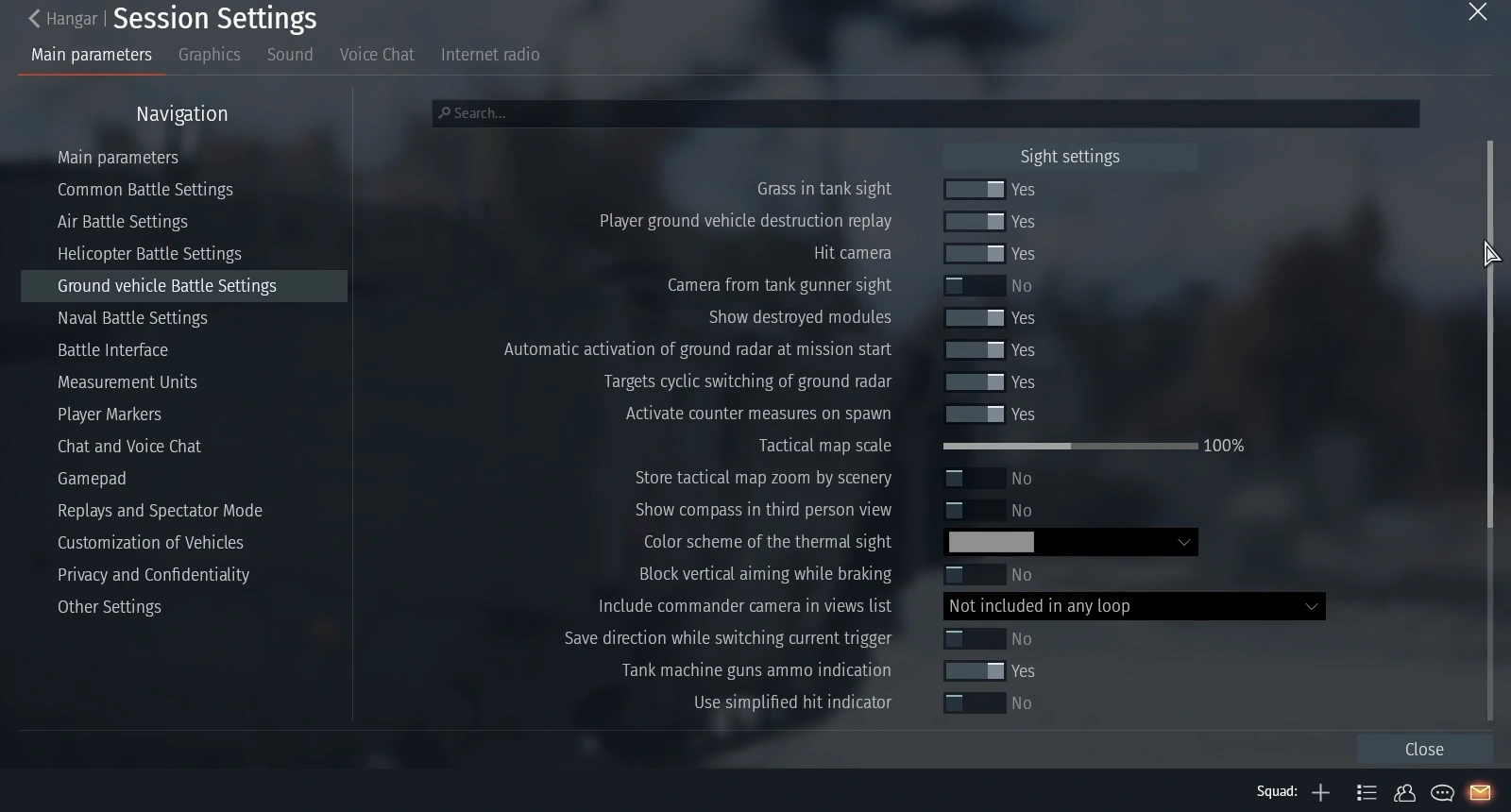
Select the tank in the hangar. Go to Options, Main Parameters, Ground Vehicle Battle Settings and open Sight settings. Check the nation, rank and vehicle on the left. Start with the individual tank so you can see how the reticle behaves before applying a setup to other vehicles of the same nation and rank.
Open the Reticle control on the right and choose your downloaded sight. Look for the crosshair to change in the preview, then click Save on the left. Copying a file into all_tanks makes the sight available to select. The vehicle you choose and save in Sight settings determines where you apply it.
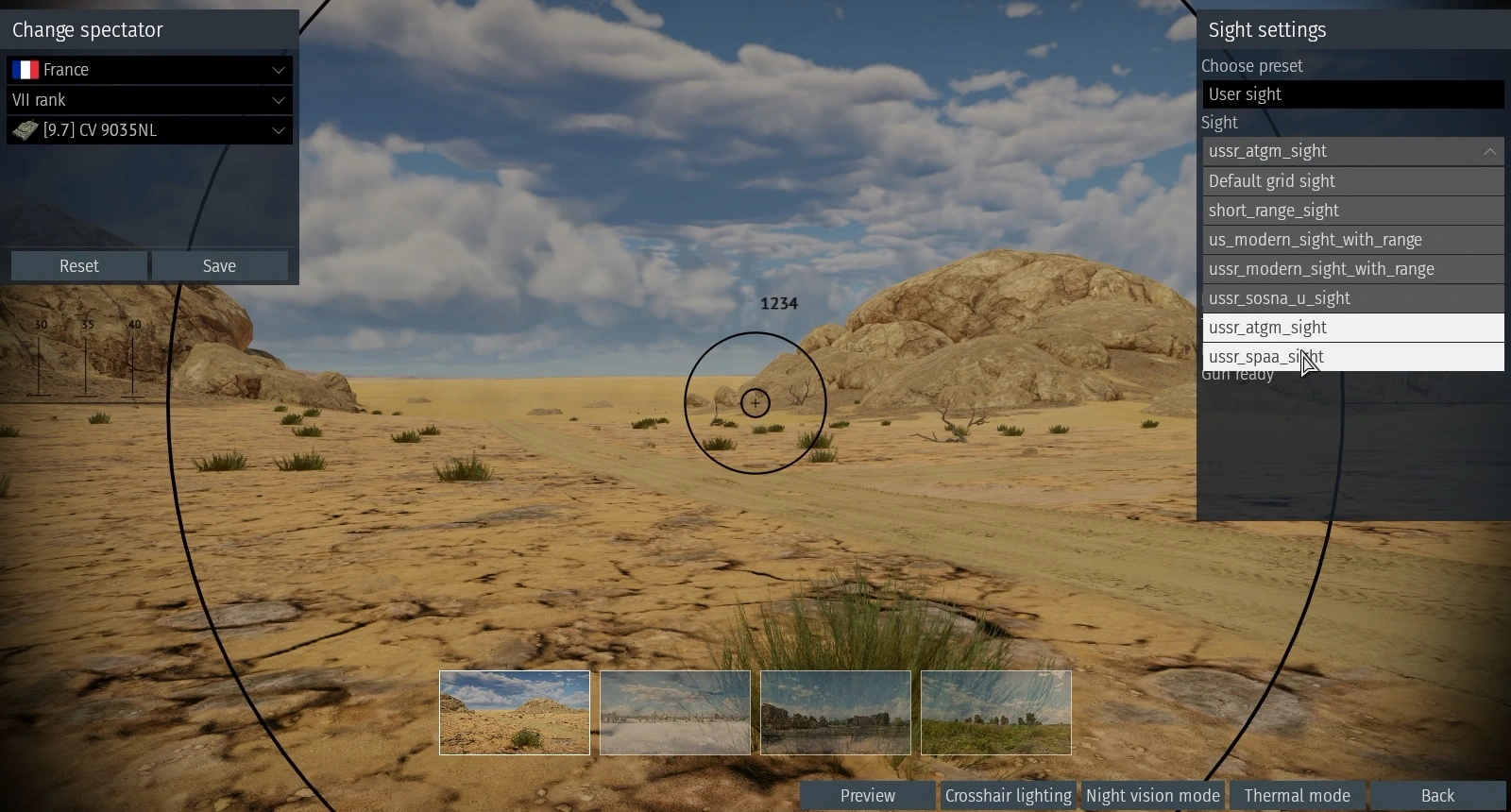
If the sight is missing from the list, check the selected vehicle first. Then compare the numbered save folder with the ID on your Gaijin profile and check the .blk is directly in the matching vehicle folder or all_tanks. Restart the client after correcting the file location and return to the same vehicle's Reticle control.
Check the saved reticle in a test drive
Take that same tank into a test drive and open the gunner's sight. Look for the reticle you selected and check its markings against targets at different distances before relying on it in a match. A custom sight can be designed around a specific vehicle, so check the range markings on the tank you actually plan to use. To switch back, select the default grid in Sight settings and save it for that vehicle.
Sources
Where this story comes from, and where you can check it.
Official sources
- War ThunderWar Thunder "Line of Contact" - Changelog ↗
- War ThunderMeet the "Dance of Dragons" Major Update! ↗
- War ThunderFollowing the Roadmap: Customizable Tank Reticles! ↗
- War Thunder WikiUser-made sighting reticles ↗