To use a lodestone in Minecraft, place it where you want your compass to lead, hold a Compass and use it on the block. The linked compass points back to that lodestone while you are in the same dimension. Put the block at your base entrance or beside a Nether portal before heading out.
This route uses the cheaper recipe from Spring to Life, released on 25 March 2025: Java 1.21.5 and Bedrock 1.21.70 onwards. Follow it on PC, PS4, PS5, Xbox One, Xbox Series X|S, Nintendo Switch and mobile. Use the updated Java or Bedrock game rather than an older console edition.
Craft the lodestone with iron
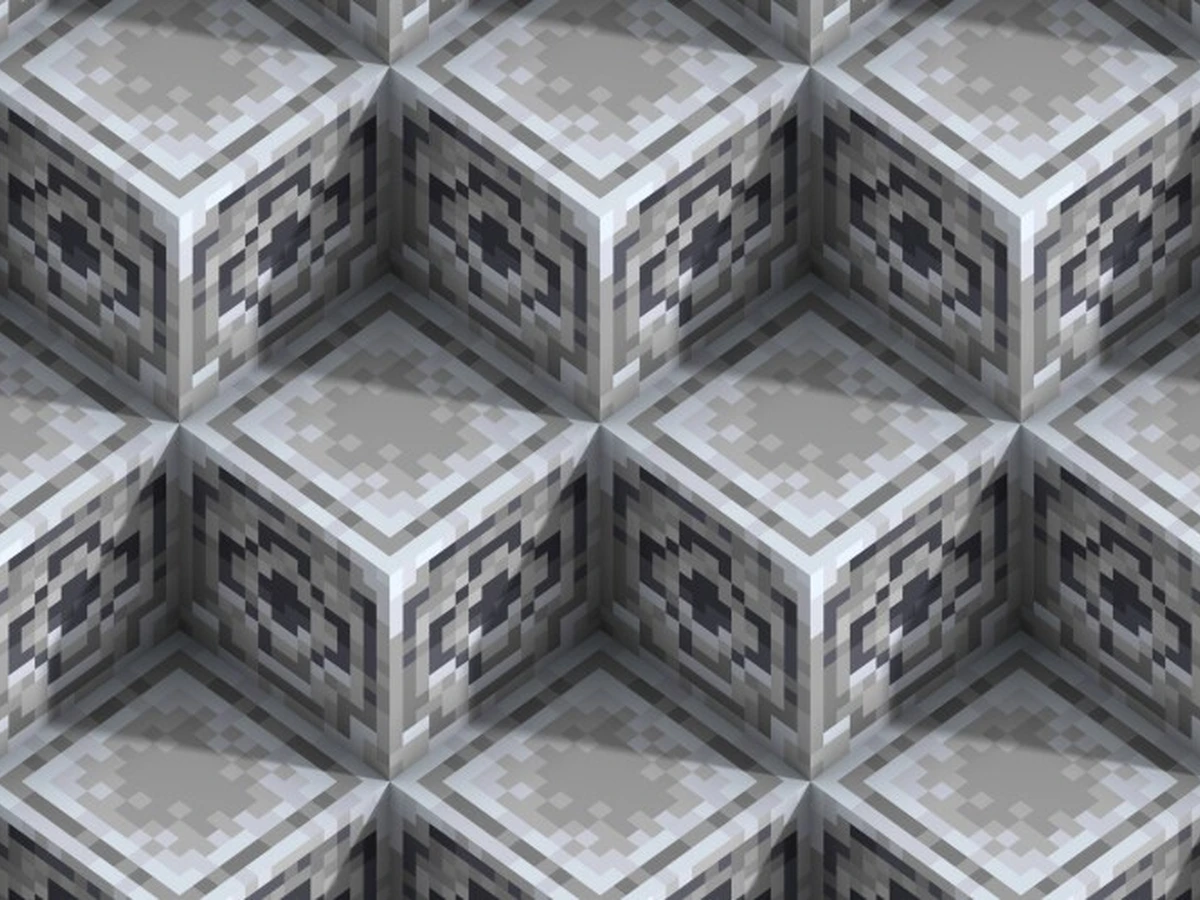
At a Crafting Table, put one Iron Ingot in the centre of the three-by-three grid and fill all eight surrounding squares with Chiseled Stone Bricks. Take the Lodestone from the output. Check the brick name carefully: ordinary Stone Bricks are an ingredient for making the chiseled variant, rather than a substitute in this recipe.
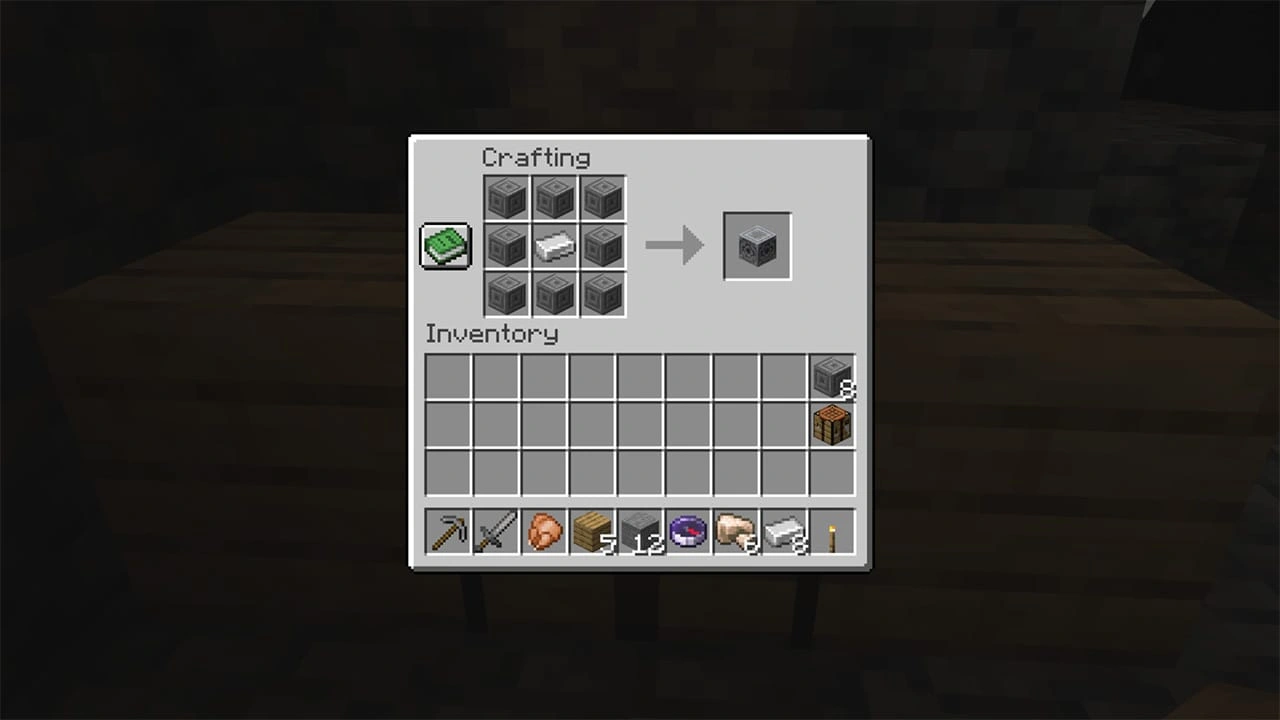
To prepare the bricks at a Stonecutter, put Stone or Stone Bricks into its input, select Chiseled Stone Bricks in the centre and collect the output on the right. Each input block makes one, so prepare eight. To make a Stonecutter first, use three Stone blocks and one Iron Ingot at a Crafting Table.
The older recipe used a Netherite Ingot in the centre. Keep that material for another job when you are playing the updated game. You can also find lodestones in Ruined Portal chests, so a block you have already collected is ready for the linking step without another craft.
Make a compass and use it on the block
Make a Compass at a Crafting Table with Redstone Dust in the centre and four Iron Ingots directly above, below, left and right of it. Leave the corners empty. If you are crafting both items from scratch, set aside five Iron Ingots in total: four for the compass and one for the lodestone.
Place your lodestone at the destination, then select the compass in your hotbar and aim at the placed block. Activate Use while holding the compass. With default mouse controls, that is right-click. On a controller, use the left trigger; the attack or mine action uses the opposite trigger. Follow your own Use binding if you have changed the controls.
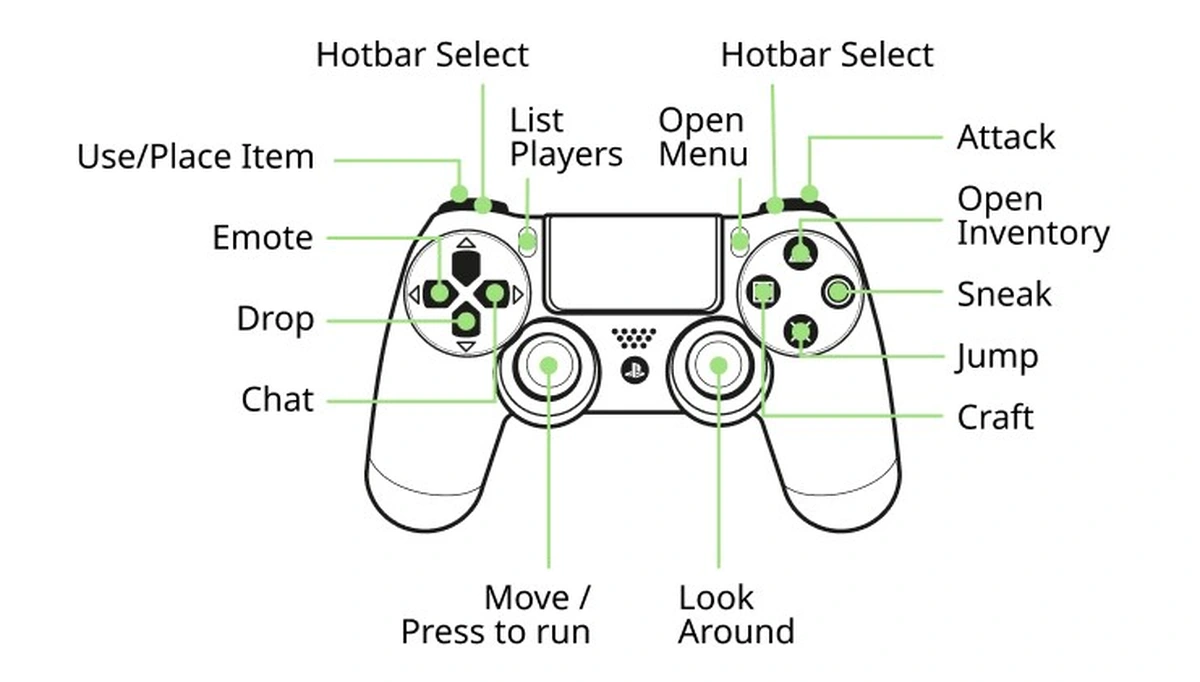
On touch controls, select the compass and use the interaction for the block under your current control scheme. Check for the compass's enchanted sheen after linking, then walk away a short distance and follow its needle back towards the lodestone. Complete that check before leaving the area, while you can still see which block you linked.
Keep your destination in the same dimension
Choose the destination before passing through a portal. For a Nether return marker, place the lodestone beside the Nether side of your portal and link the compass there. For an Overworld base, link it to a block at that base. A lodestone can work in the Overworld, Nether or End, but its compass needs to share its dimension.
Check the block when the needle spins
Start with the dimension: return to the one containing your linked lodestone. Then check that the block is still there. A broken lodestone also stops the compass working. When relocating your marker, place it at the new destination and use the compass on it again before relying on the direction.
If your compass leads to world spawn instead of your base, repeat the linking action on the placed lodestone. An ordinary compass tracks world spawn in the Overworld; crafting it alone does not choose your house. For a longer journey by mount, prepare your craftable Saddle before setting off with the linked compass.
Sources
Where this story comes from, and where you can check it.
Official sources
- Minecraft.netMinecraft Java Edition 1.21.5 ↗
- Minecraft.netSpring to Life game drop ↗
- Minecraft.netBlock of the Week: Lodestone ↗
- Minecraft.netMinecraft Controls ↗
- Minecraft.netBlock of the Week: Stonecutter ↗
- Mojangstonecutter_stonebrick_chiseled.json ↗