Fortnite's Pre-download Streamed Assets option is intentionally missing from the Epic Games Launcher. Stop looking for that checkbox: use the separate High Resolution Textures option only when it suits your setup, then investigate the actual symptom. These Windows PC instructions cover the launcher download options and the current support routes checked on 2 November 2026.
Choose the download you actually need
If you followed an older Fortnite optimisation tutorial, its instruction to enable Pre-download Streamed Assets no longer matches the launcher. Epic confirms the missing option is intended. Treat the absent checkbox as the end of that particular instruction, rather than a reason to reinstall the game or reset your configuration. Keep your existing installation while you decide whether you are dealing with network delay, low frame rate or a specific download error.
High Resolution Textures is a separate choice. Epic's current ping troubleshooting recommends pre-downloading it on PC: right-click Fortnite in the Epic Games Launcher, then select Options and High Resolution Textures. Give the extra download time to finish before comparing another match. If you use Performance mode and want a smaller installation, Epic also supports leaving that texture package unticked through Library, Fortnite's three dots, Options, then Apply. Choose between those goals before downloading extra files; the installed package uses more storage.
Check the symptom inside a match
Open Fortnite's lobby menu, select Settings and go to Game UI. Turn Net Debug Stats on and click Apply. Start a match to see real network results, then watch ping and packet loss when the problem happens. Ping measures the delay to the server and back; packet loss means data failed to arrive. Record those readings alongside the experience you were playing, such as Zero Build or Reload. Turn Net Debug Stats off afterwards if you prefer a clear screen.
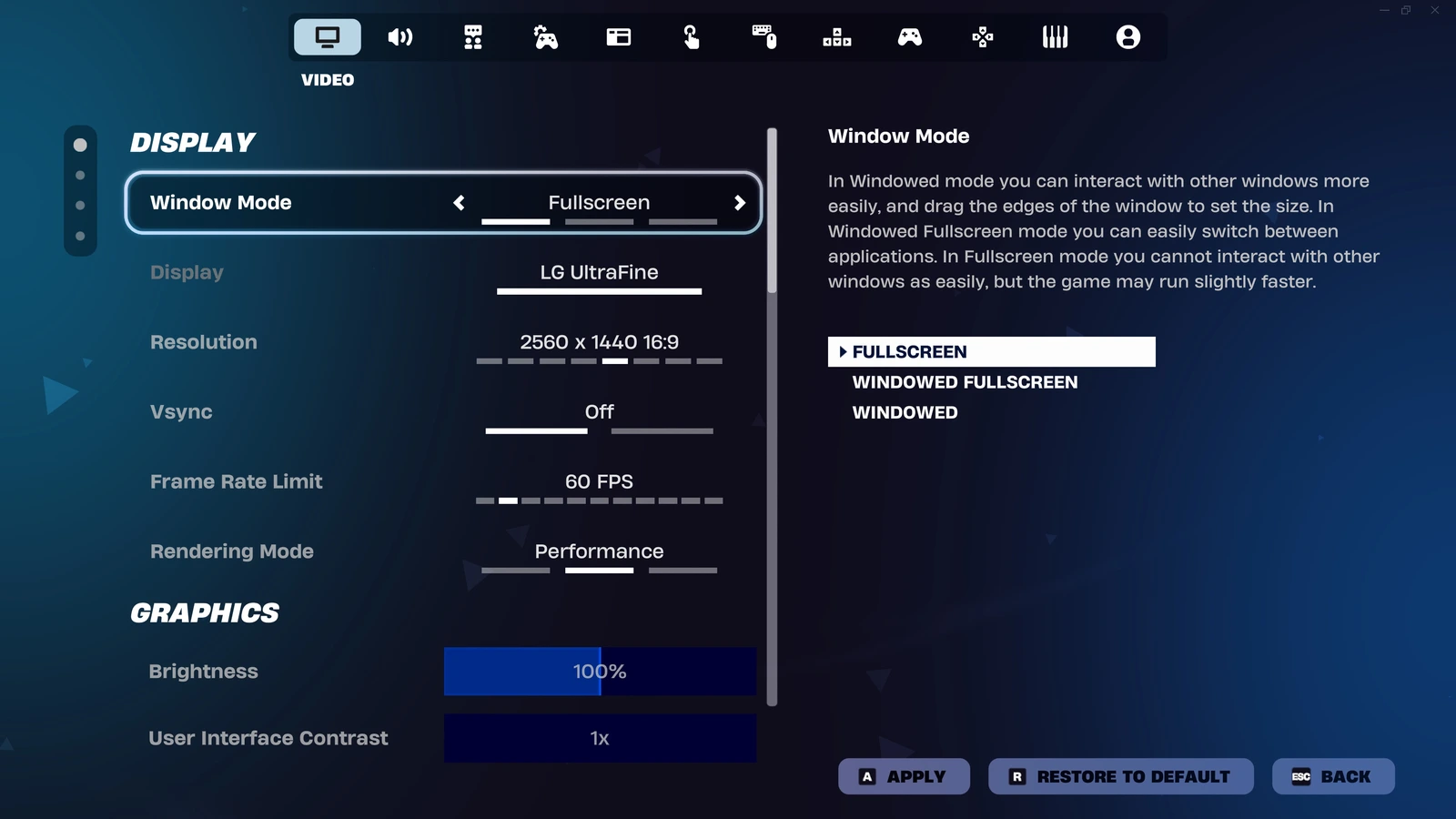
For a separate frame-rate check, open the Video settings and enable Show FPS under Advanced Graphics. Compare the counter during the troublesome moment, keeping your other settings unchanged. A low FPS reading sends you towards graphics and PC performance checks; rising ping or packet loss sends you towards connection checks. For the renderer branch, follow our Fortnite PC rendering-mode instructions. Keep these two measurements separate when describing the problem to support.
Use the matching repair branch
For network trouble, try a wired Ethernet connection and pause large downloads, uploads and streams on your home network while you play. Repeat the same kind of match and compare the network readings. If the connection stays poor, contact your internet service provider with the ping and packet-loss information, then Epic support if the problem continues. Record whether other people were using the connection during each comparison so that a quieter network does not get mistaken for a texture-setting improvement.
If the lobby instead displays "Something went wrong when downloading the game assets", verify Fortnite's files. In the legacy Epic Games Launcher, open Library, find Fortnite, click its three dots, select Manage and click Verify. In the Launcher Preview introduced on 14 October, open Library from the top bar, select Fortnite, then click the three dots next to Play, Manage and Verify. Wait for the completion notification before launching again. Use the route matching your launcher; Preview verification applies to games whose source is Epic Games.
Verification checks the local installation and repairs changed or damaged files while preserving saved data. Test the lobby again afterwards. If the same asset-download error remains, submit an in-game bug report as Epic recommends, including the exact message and what happened after verification. Keep any texture-download change reversible: return to Options and restore your previous High Resolution Textures selection if you want the earlier storage arrangement.
Sources
Where this story comes from, and where you can check it.
Official sources
- Epic GamesWhy can I not find the 'Pre-download Streamed Assets' option for Fortnite? ↗
- Epic GamesHow do I enable performance mode in Fortnite? ↗
- Epic GamesFortnite latency and ping troubleshooting ↗
- Epic GamesHow can I check if I have packet loss while playing Fortnite? ↗
- Epic GamesFortnite on PC: Best settings for competitive play in 2026 ↗
- Epic GamesHow do I verify game files in the Epic Games Launcher? ↗
- Epic Games"Something went wrong when downloading the game assets" error in Fortnite lobby ↗