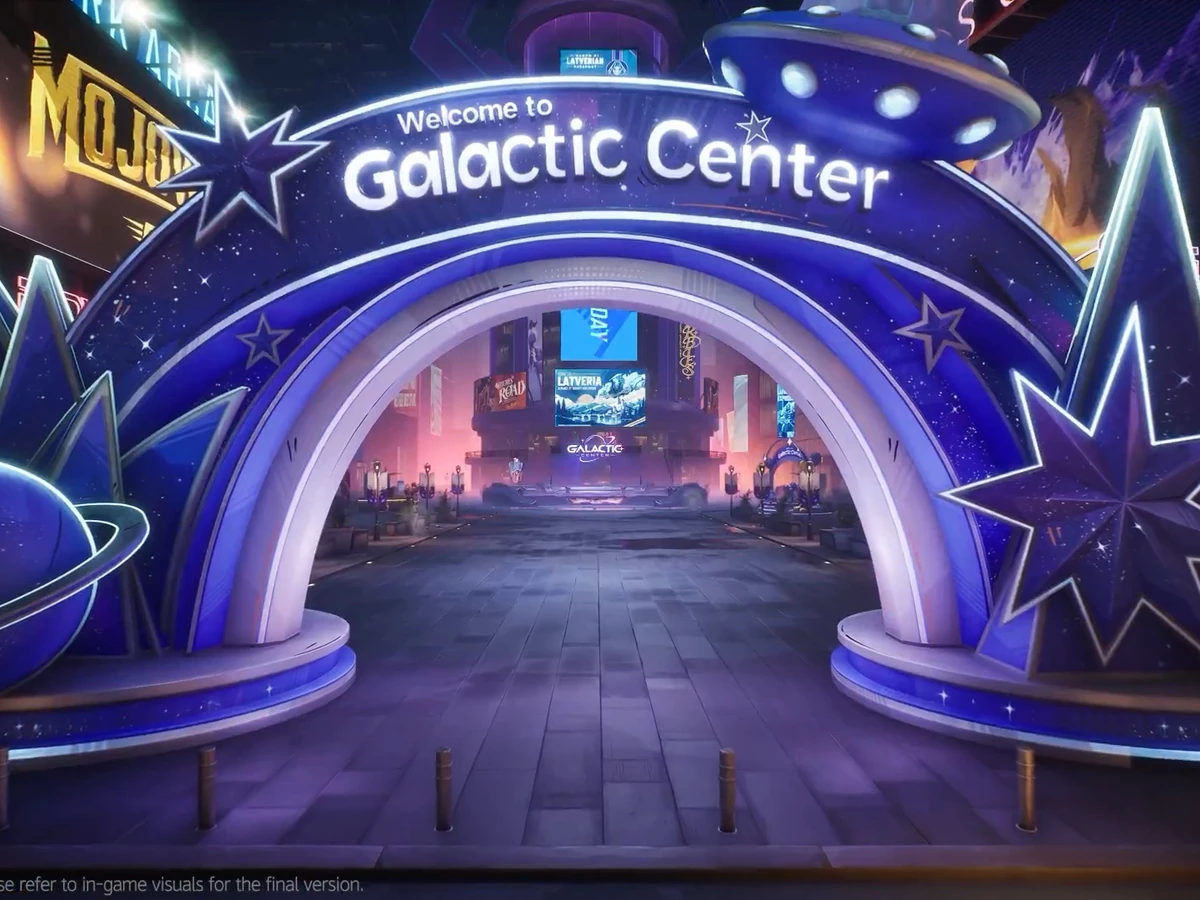
To claim the anniversary login rewards in Marvel Rivals, log in and visit Galacta Bot at the Galactic Center in Times Square. The Anniversary Check-In opened with the 19 November 2026 update on PC, PS4, PS5 and Xbox Series X|S. You can collect up to 1,900 Units over nine check-ins, with the final four rewards opening on 26 November.
Find Galacta Bot in Times Square
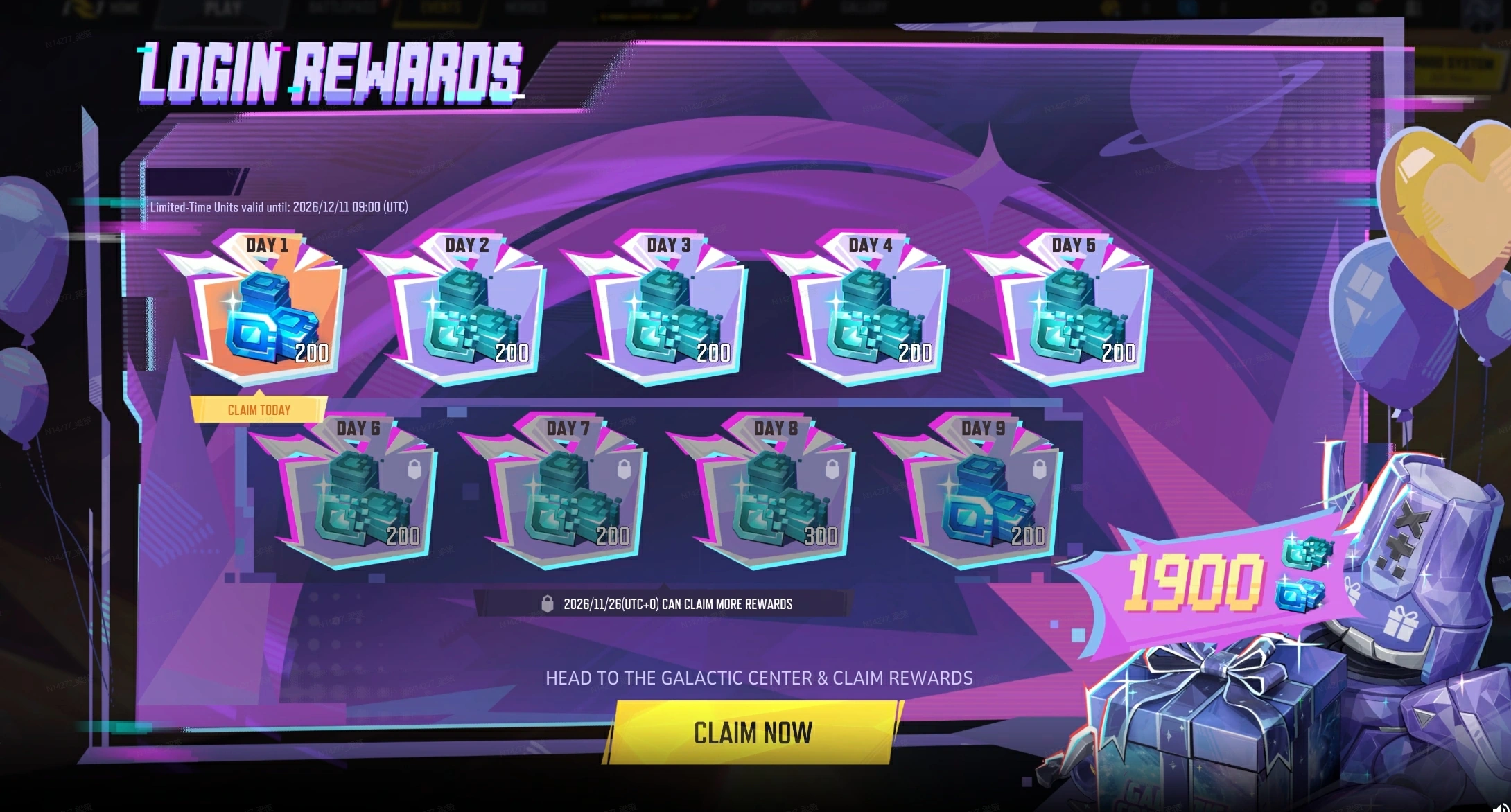
On the Login Rewards screen, look for the tile marked Claim Today. Select Claim Now below the grid and follow the prompt to the Galactic Center. In Times Square, look for the blue arch with a planet on one side and a star on the other. Inside the event area, find the floating purple Galacta Bot by the wrapped presents and interact with it for your check-in reward. You can do the whole check-in without playing a match.
Check when the next reward opens
Use the two rows on the reward screen to plan your visits. Days 1 to 5 form the first batch, worth 1,000 Units in total. If the second row still shows padlocks, come back from 26 November UTC. That row holds another 900 Units across Days 6 to 9, including 300 on Day 8. Return on separate days and check your Units balance after each claim.
Spend the limited-time Units by 11 December
The blue icons on Days 1 and 9 give you 200 regular Units each. The teal icons on Days 2 to 8 give you 1,500 Limited-Time Units altogether. Use the teal currency before 09:00 UTC on 11 December 2026, when it expires and the check-in closes. If you have your eye on a purchase, use that deadline to plan it. The 400 regular Units can stay in your balance.
Sources
Where this story comes from, and where you can check it.
Official sources
- NetEase GamesMarvel Rivals Version 20261119 Patch Notes ↗
- Marvel RivalsMarvel Rivals 2nd Anniversary event trailer ↗