To preview Evolution chains in EA SPORTS FC 27, open Ultimate Team, go to Club > Evolutions and choose an Evolution and player. Use Preview Evolution to explore the next upgrades before applying anything to your card.
These instructions cover Ultimate Team on PC, PS5, PS4, Xbox Series X|S, Xbox One, Switch and Switch 2. The re-preview fix below arrived in Title Update v1.2.0, released on 10 November 2026.
Open the chain preview
- In Club > Evolutions, select Available Evolutions and choose an upgrade.
- Select the Player Item you want to inspect.
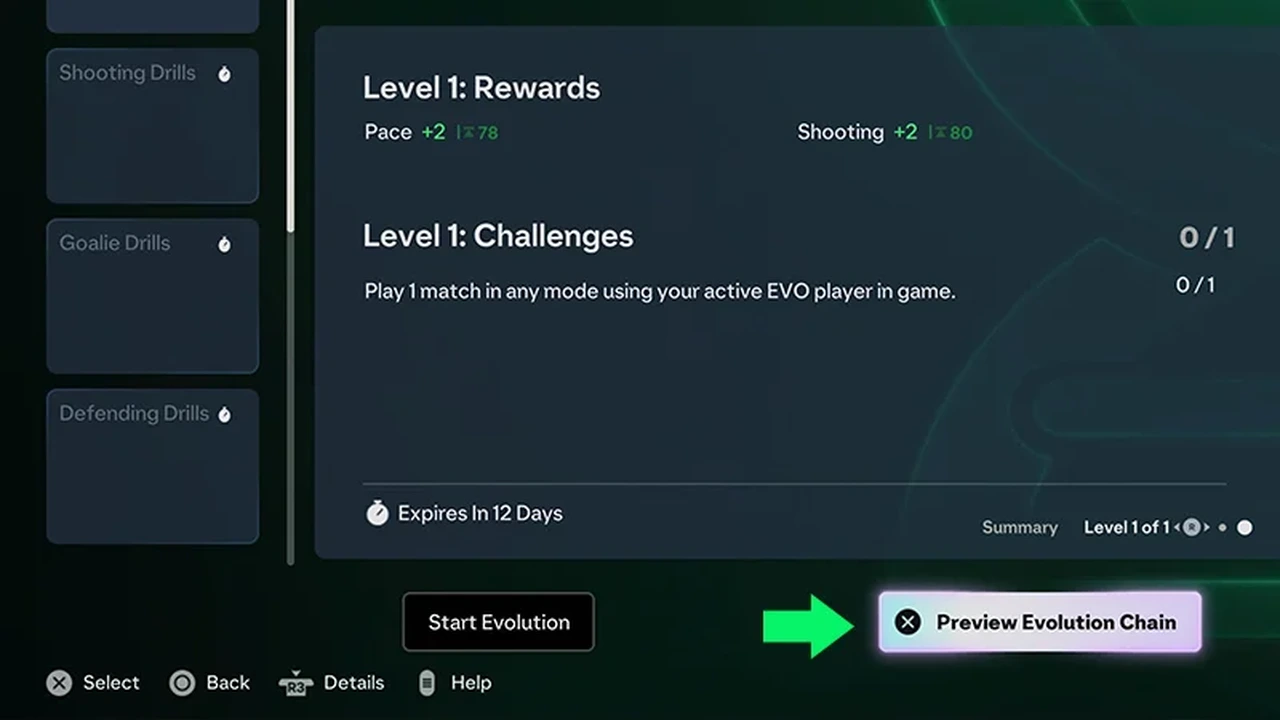
- Choose Preview Evolution. On the illustrated screen, look for Preview Evolution Chain beside Start Evolution.
- Select another Evolution, then confirm it within the preview to continue exploring the path.
After each addition, the next options use the card's resulting stats. Check which upgrades remain available at that point. You are planning a sequence for the same player, so compare the later result before submitting the card to the first upgrade.
Compare the route and its reward choices
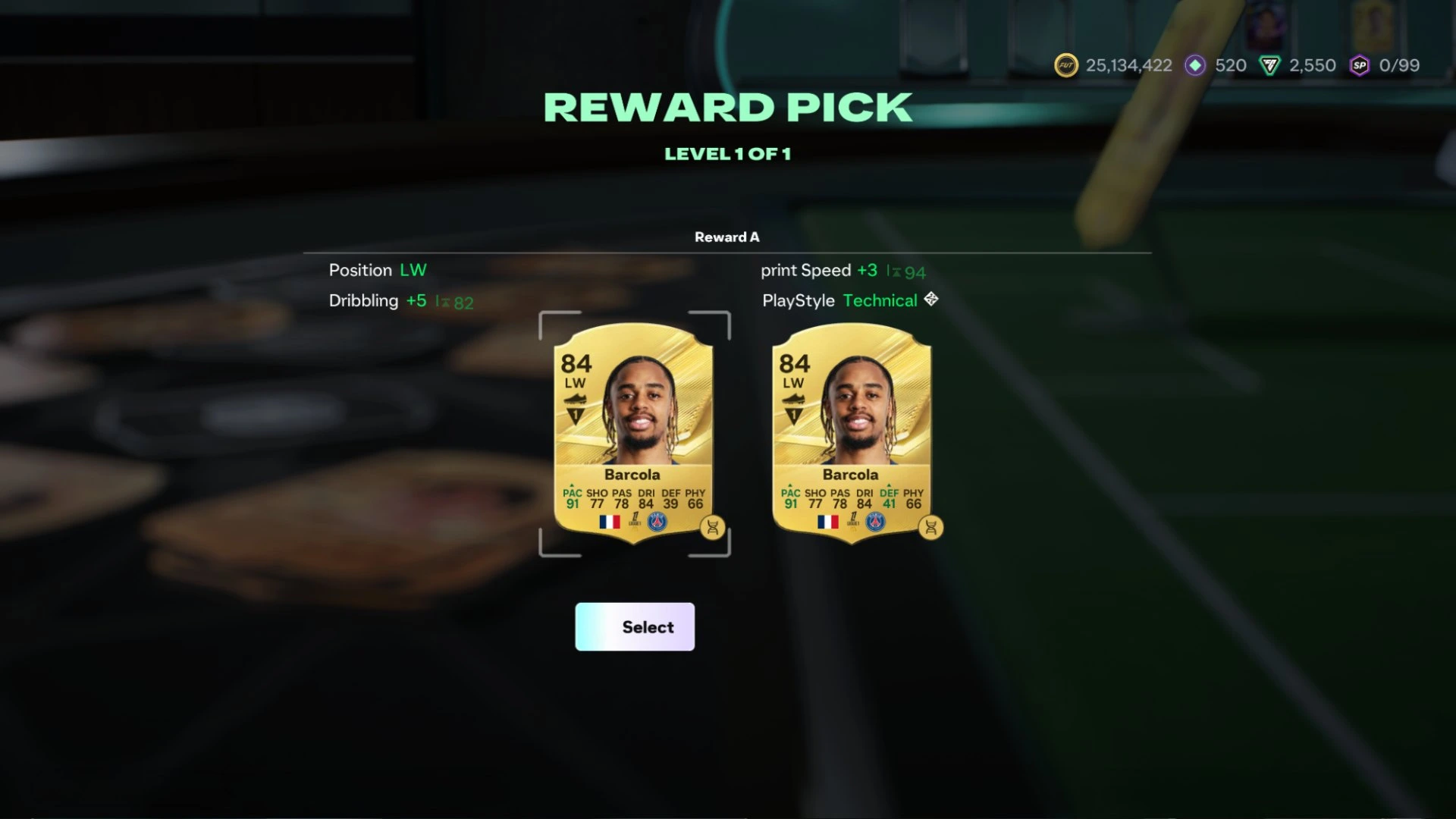
Chain Preview lets you see where one Evolution can lead. Pathways add a separate decision inside selected Evolutions: which reward you want. Traditional linear Evolutions still exist, so look at the particular upgrade rather than expecting every one to branch. A chain connects upgrades; a Pathway shapes an upgrade along the way.
For example, a Pathway might offer dribbling and Technical, or defensive awareness and Jockey. Compare the attributes and PlayStyles with the role you want that player to fill. You can move between reward choices before claiming; completing the level and claiming its reward locks your choice.
If backing out stops the preview
Install v1.2.0 or later before retrying a chain that will not advance after you back out and reopen it. That update fixes this specific re-preview fault. Return to the Evolution, choose the player and repeat the preview sequence; check that you can advance to the next upgrade.
The same update fixes a missing back option on the final Pathway reward confirmation screen and a menu failing to load after claiming a Pathway upgrade. A separate +0 attribute display fault showed incorrect increases even though the upgrades had applied. Treat that reward display separately from being unable to continue the chain preview.
Once you have chosen a route, check its requirements and unlock cost before submitting. To progress a standard Evolution, select My Evolutions, set it to Active, complete its challenges and claim the upgrades. For collection rewards alongside your squad building, check how Gallery Tokens work.
Sources
Where this story comes from, and where you can check it.
Official sources
- EA HelpHow EA SPORTS FC Ultimate Team Evolutions work ↗
- Electronic ArtsEA SPORTS FC 27 | FUT Deep Dive ↗
- Electronic ArtsEA SPORTS FC 27 | Title Update v1.2.0 ↗
- Electronic ArtsEA SPORTS FC 27 | Title Update v1.2.0 Pitch Notes ↗
- Electronic ArtsEA SPORTS FC 27 | Ultimate Plus, Ultimate, & Standard Edition FAQ + Release Dates ↗