If your Stardew Valley invite code is missing, open Steam or GOG Galaxy, sign in and load the farm through Co-op. Start with the missing control: an absent Multiplayer section calls for a hosting check, while missing invite buttons call for a client connection check. These instructions cover desktop Steam and GOG copies; keep the Windows firewall step to Windows.
Reconnect the client before changing the farm
Close the game, open the client you use for your copy and check that you are signed in. Then launch Stardew Valley through that client and reopen Co-op. Both the host and the person joining need their Steam or GOG Galaxy connection for invite codes. A standalone launch can get you into the game while leaving the online invitation route unavailable, so check the launch route even when your farm loads normally.
Look for Show Invite Code in the host's in-game Options menu and Enter Invite Code in the joining player's Co-op menu. Treat those as separate checks on the two computers. Once the host can display a code, send the newly displayed one: the code changes when you reload the game. Keep the host in the farm while the other player joins. A saved farm cannot accept visitors while its host is out of the game.
Load the farm through Co-op
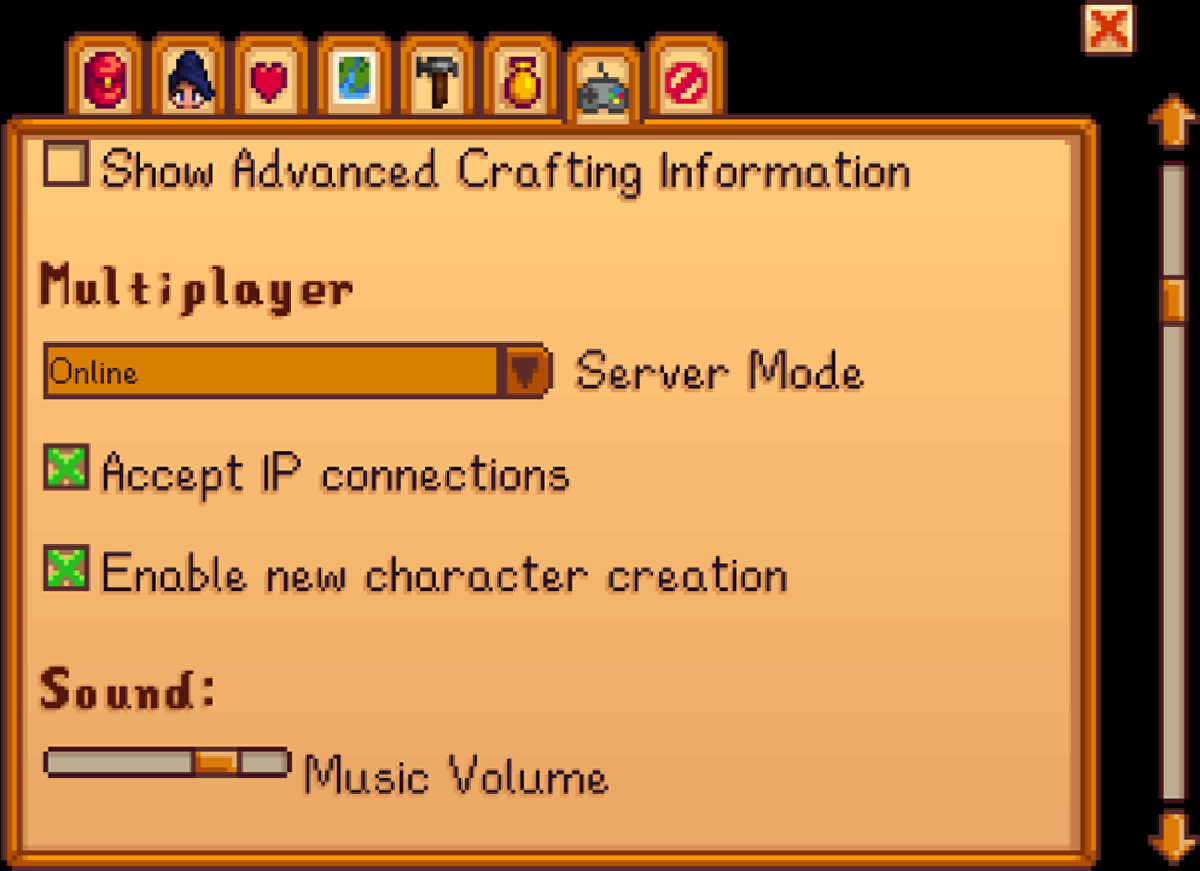
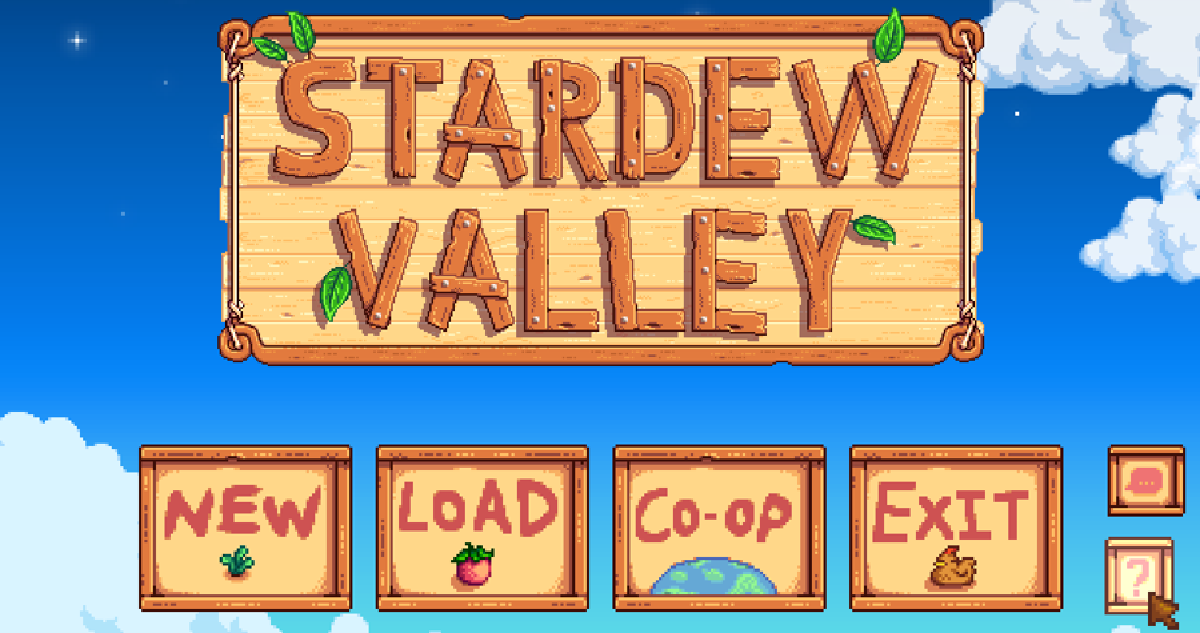
Return to the title screen, choose Co-op, select Host and load your existing farm. Open Options and scroll to Multiplayer, above Sound. If that section is absent, return to the title screen and repeat the Co-op route. You can keep an existing single-player farm: add a cabin for your friend through Robin, save, then reopen it from the Host tab.
Choose an online Server Mode rather than Offline. Steam/GOG-connected hosting offers Friends-Only or Invite-Only; the latter lets you control entry through invitations and codes. If you only see Online and the invite controls remain absent, return to the client checks. Use the appearance of an actual code as your success check before asking the other player to try joining again. Keep a note of the previous server setting if you change it.
Match the build when the code works
If a code appears but joining fails, compare both players' game versions next. From the title screen, click the question-mark button at the bottom right to open the about screen. Check the version and build number together. Since the 1.6 update, multiplayer requires both to match. Install the available updates on both copies, restart them and compare again before retrying the invitation.
PC farms support up to eight players from 1.6, replacing the four-player limit in the original multiplayer release. Each additional farmer still needs a cabin. If the code works but there is no available place for a new farmer, arrange a cabin rather than repeating account sign-ins. For the separate problem where mods fail to start on a handheld, follow our native Steam Deck SMAPI repair steps before troubleshooting that installation further.
Check a Windows app exception
If the signed-in clients and Co-op setup still leave invitations unavailable, check whether Windows Firewall is blocking the game or its client. Open Windows Security, then Firewall & network protection, Allow an app through firewall and Change settings. Find the recognised Stardew Valley or Steam/GOG Galaxy entry. To add a missing entry, choose Allow another app and select that installed application's executable. Make the change only for the app you intend to allow.
Keep the firewall running and record any permissions you change. An app exception lets that application communicate when needed; opening a port leaves a broader opening until you close it. Reopen the game and check for the invite controls again. If the exception made no difference and you no longer need it, clear its checkbox in the same allowed-apps list and select OK. For a persistent failure, report the missing button, client, operating system and both game versions to Stardew support.
Sources
Where this story comes from, and where you can check it.
Official sources
- ConcernedApeStardew Valley Multiplayer Troubleshooting Guide ↗
- ConcernedApeStardew Valley v1.3 Beta - invitation and client requirements ↗
- ConcernedApeStardew Valley 1.3 (Multiplayer Update) is now available! ↗
- ConcernedApeStardew Valley 1.6 Update Full Changelog ↗
- Microsoft SupportRisks of Allowing Apps Through Windows Firewall ↗