Update The Legend of Zelda: Ocarina of Time to version 1.1.1, then follow the prompts when you start the game to set up ZELDA NOTES. The 4 November 2026 patch added the feature for the Switch 2 remake's 5 November launch. You use the free Nintendo Switch App on your phone or tablet, with a Nintendo Account and internet access. You can use ZELDA NOTES without a paid Nintendo Switch Online membership. For more on the Switch 2 remake, see what changed for the November release.
Install version 1.1.1
Connect your Switch 2 to the internet and highlight Ocarina of Time on the HOME Menu. Press + or - and look beneath the game title for the version number. If your copy is still on an earlier version, select Software Update, then Over the Internet. Once the download finishes, use the same menu to check the version again. If you get a connection error during the update, use the error code to look up Nintendo's troubleshooting steps before retrying.
Set up the app with your save's Nintendo Account
Start the updated game while your console is online and follow the ZELDA NOTES instructions shown at startup. Choose the Switch 2 user whose adventure you want to see in the app. On your smart device, install or update the Nintendo Switch App and sign in with the Nintendo Account linked to that user. The account needs existing save data for this game, so start an adventure and save your progress if you're setting up a new profile.
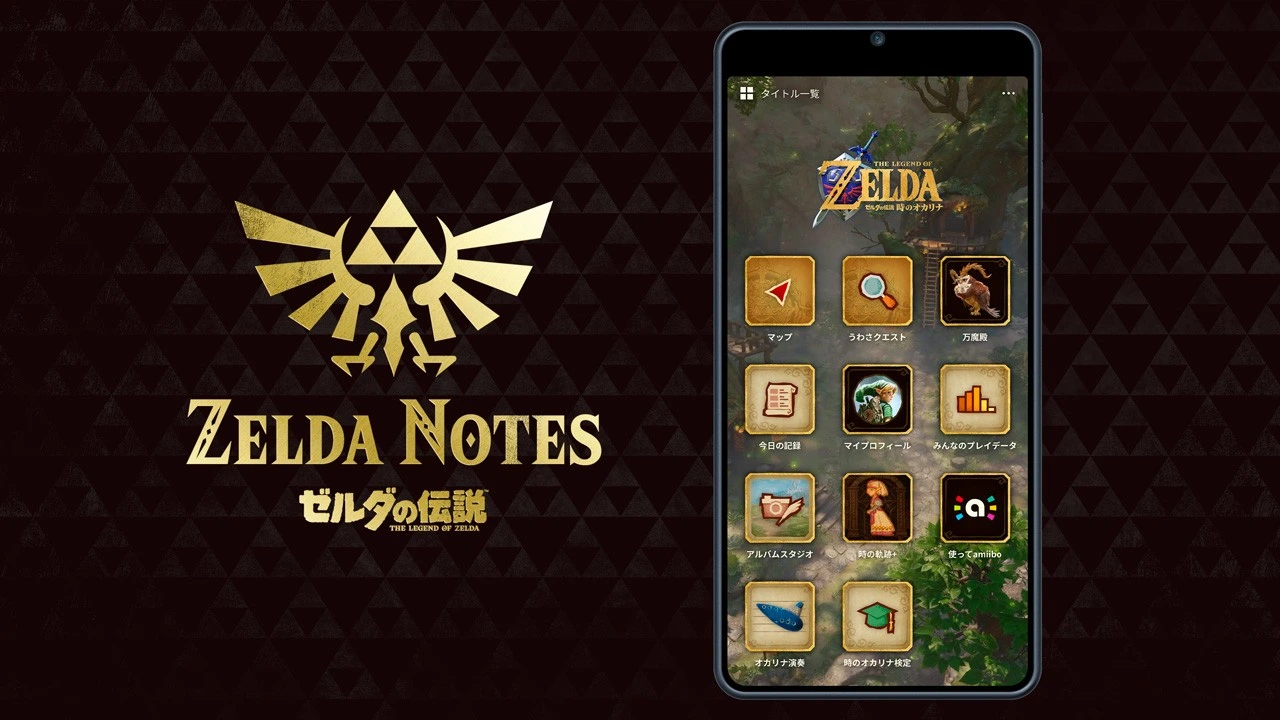
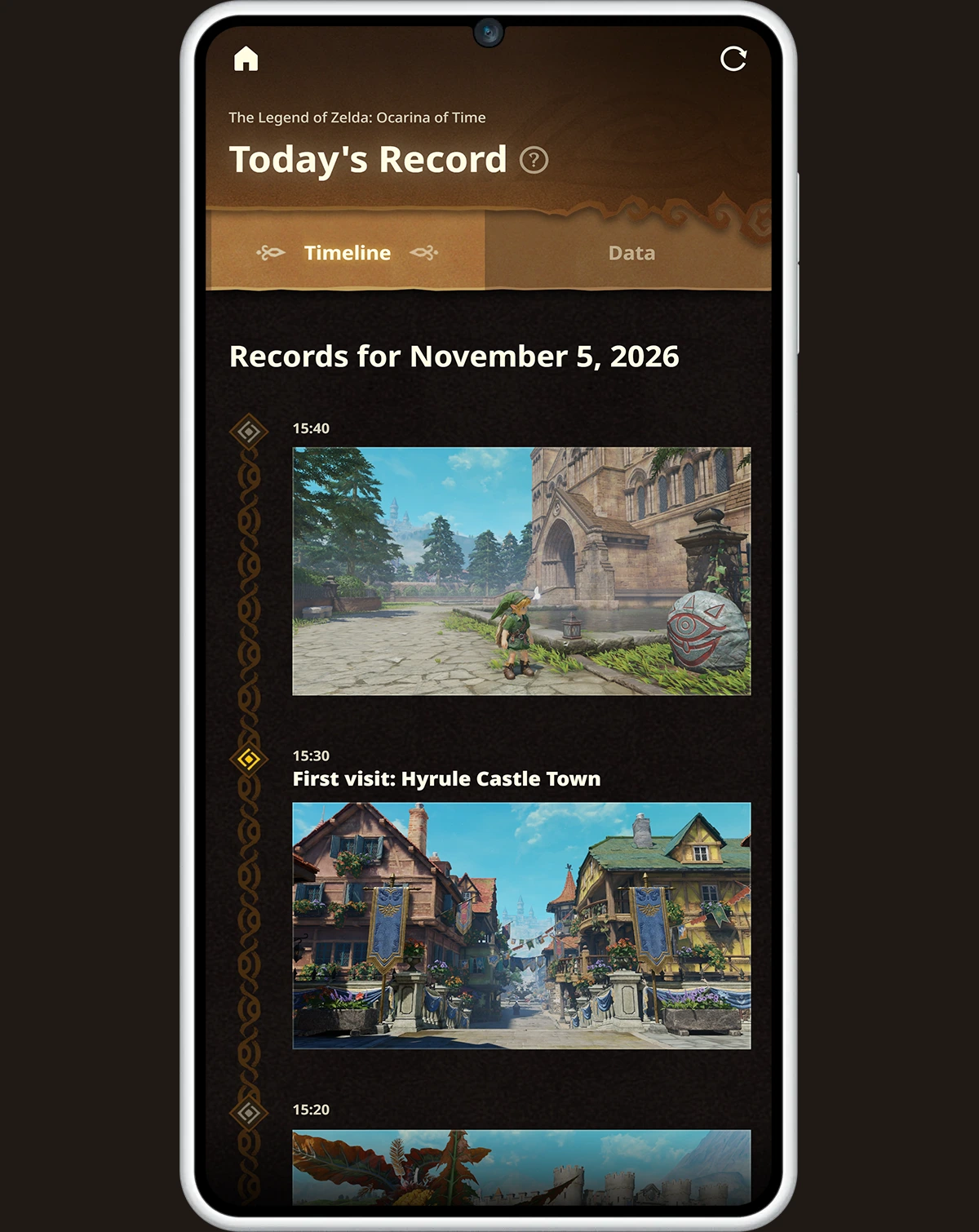
Open ZELDA NOTES in the Nintendo Switch App and choose Ocarina of Time. Each supported game has its own companion features, so check the game name before looking for your progress. You can use Today's Record to see your accomplishments in order, with screenshots taken as you play. The Data tab lets you see the day's totals for things like rupees collected and enemies defeated.
Check the account if your play data is missing
Check the Nintendo Account on the phone against the console user with the Ocarina of Time save. If the app is signed in to a different account, sign out and sign back in with the one you play on. To see your play data in ZELDA NOTES, allow data usage sharing in your Nintendo Account privacy settings. Keep the console connected while you play so you can start using the game's companion features.
If the service still won't open, check Nintendo's network maintenance information and update the phone's operating system, browser and Nintendo Switch App. On Android, check for an Android System WebView update as well. Once the service is available and you're signed in, return to Ocarina of Time in ZELDA NOTES and check Today's Record for the day you played. Contact Nintendo Support if you still can't access the service after updating and signing in again.
Sources
Where this story comes from, and where you can check it.
Official sources
- Nintendo SupportHow to Update The Legend of Zelda: Ocarina of Time ↗
- Nintendo UKUnable to Access Game-Specific Services in the Nintendo Switch App ↗
- Nintendo UKZELDA NOTES ↗