Press Escape in World of Warcraft: Forever, open Options and choose Gamepad under Gameplay to switch to controller controls. This applies to the PC launch build from 4 November 2026, where the gamepad interface is in beta. Start with an XInput-compatible controller and keep a keyboard nearby for typing in chat. The button names below use the Xbox layout. Follow the matching prompts on your screen when you use PlayStation-style icons.
Turn on the gamepad interface
Open the Game Menu with Escape while you have the keyboard to hand. Under Options, go to Gameplay and choose Gamepad. Back in the world, look for the controller legend in the upper-left corner and the action icons grouped to match your buttons. Move with the left stick and turn the camera with the right stick. Check both before you start changing bindings, so you can tell whether the controller is actually responding.
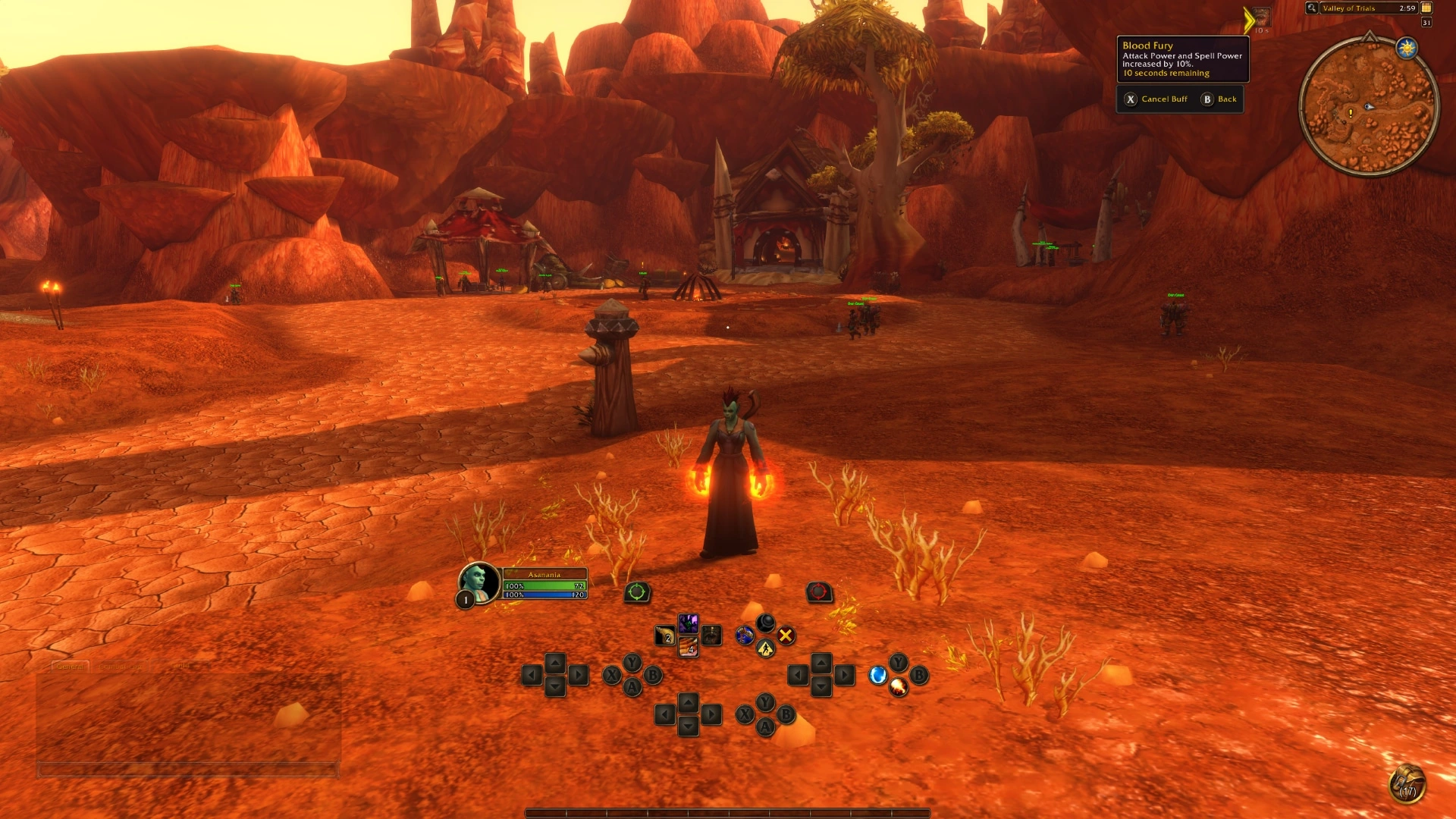
If you cannot find Gamepad under Gameplay, check the game version selected in the Battle.net desktop app and open World of Warcraft: Forever. If you can see the gamepad HUD but the sticks do nothing, check that the controller you connected supports XInput. The game displays both Xbox and PlayStation button icons. Use the stick response in the world to check input even when the on-screen icons already match your pad. To go back to your usual controls, use Escape to return to the same Gamepad settings and switch back to keyboard and mouse.
Check targeting and set up your action bars
Try selecting a friendly target with the left bumper and a hostile target with the right bumper before you use the pad in a busy fight. Watch the legend in the upper-left as you target, since it expands to show more controls in context. For ordinary interaction, use X when the prompt shows Interact. Check the displayed prompt before pressing a face button, since those buttons can also have spell functions.
Hold the left trigger, the right trigger, then both together and watch the action icons change each time. Release both to return to your default bar. You can put an ability you use often on the default bar and reserve a trigger bar for less frequent actions. Keep related abilities on the same button across bars if that helps you remember where they are. Use Action Bars in the Gamepad settings to adjust the layout.
Once you can swap between the four bars, hold both bumpers and tap Left or Right on the D-pad to cycle between three separate sets. A trigger changes which bar you see within the current set, while the bumper and D-pad shortcut changes the whole set. Each set has 28 slots across its four bars. You can keep your combat abilities together in one set and use another for utility actions.
Open your bags and check the panel prompts
Hold both bumpers and press B to open the Backpack. With both bumpers held, Up opens the Quest Tracker, Down opens Chat and Y brings up your buffs. You can reach the same panels through the radial menu. Look at the bottom of each panel for its controller prompts. Keep the keyboard in reach for chat and use the mouse for panels where the launch interface has yet to add a controller footer.
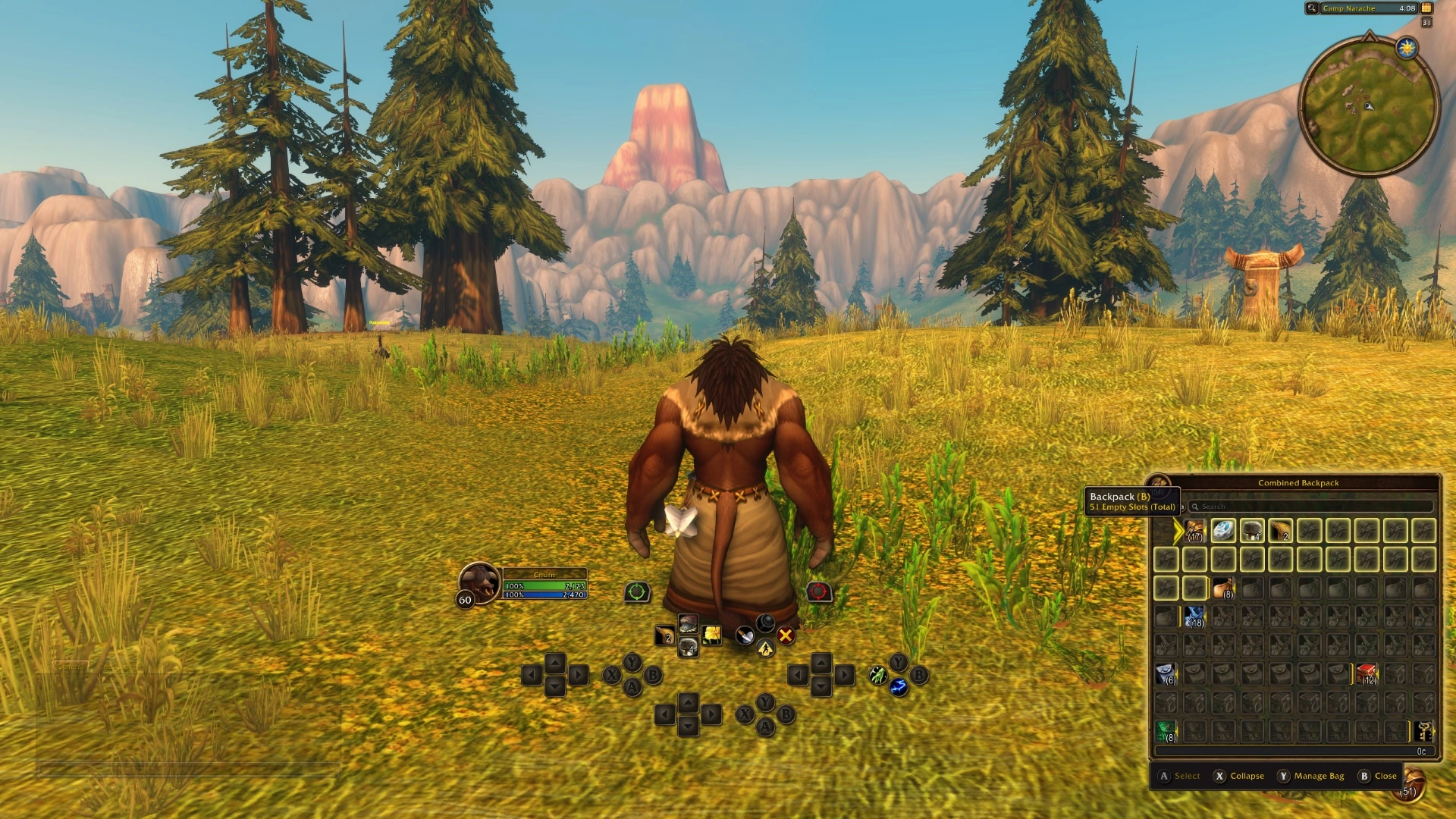
Before joining a fight, check that you can move, select the target you want, bring up a trigger bar and return to the default bar when you let go. Then open and close the Backpack using the prompts on screen. If you are setting up to play with friends and they disappear when you meet up, check how to refresh your party's world phase from a safe spot.
Sources
Where this story comes from, and where you can check it.
Official sources
- Blizzard EntertainmentExplore WoW: Forever with a Gamepad ↗
- Blizzard EntertainmentNew Player's Starter Guide: Welcome to World of Warcraft: Forever ↗