To travel to another planet in Factorio: Space Age, board your space platform from a rocket silo, send the platform to your destination, then use Drop to a planet. Build and supply the platform before boarding: opening its remote view lets you control it while your character stays on the ground.
This route covers Space Age on Windows, macOS, Linux and Nintendo Switch 2. The expansion requires the free Switch 2 Edition upgrade on Nintendo's console; the original Switch version has no Space Age. The version-specific checks below use 2.1, which became stable on PC on 23 October 2026. Check your installed version before applying those changes to an older save.
Research a destination before boarding
Open the technology tree and finish Space platform thruster, then one of Planet discovery Vulcanus, Planet discovery Fulgora or Planet discovery Gleba. These are your first three destinations. On 2.1, completing a planet discovery also unlocks passenger travel to space platforms. If the silo says to discover a planet via research, finish that technology first; building a platform alone leaves the passenger option locked.
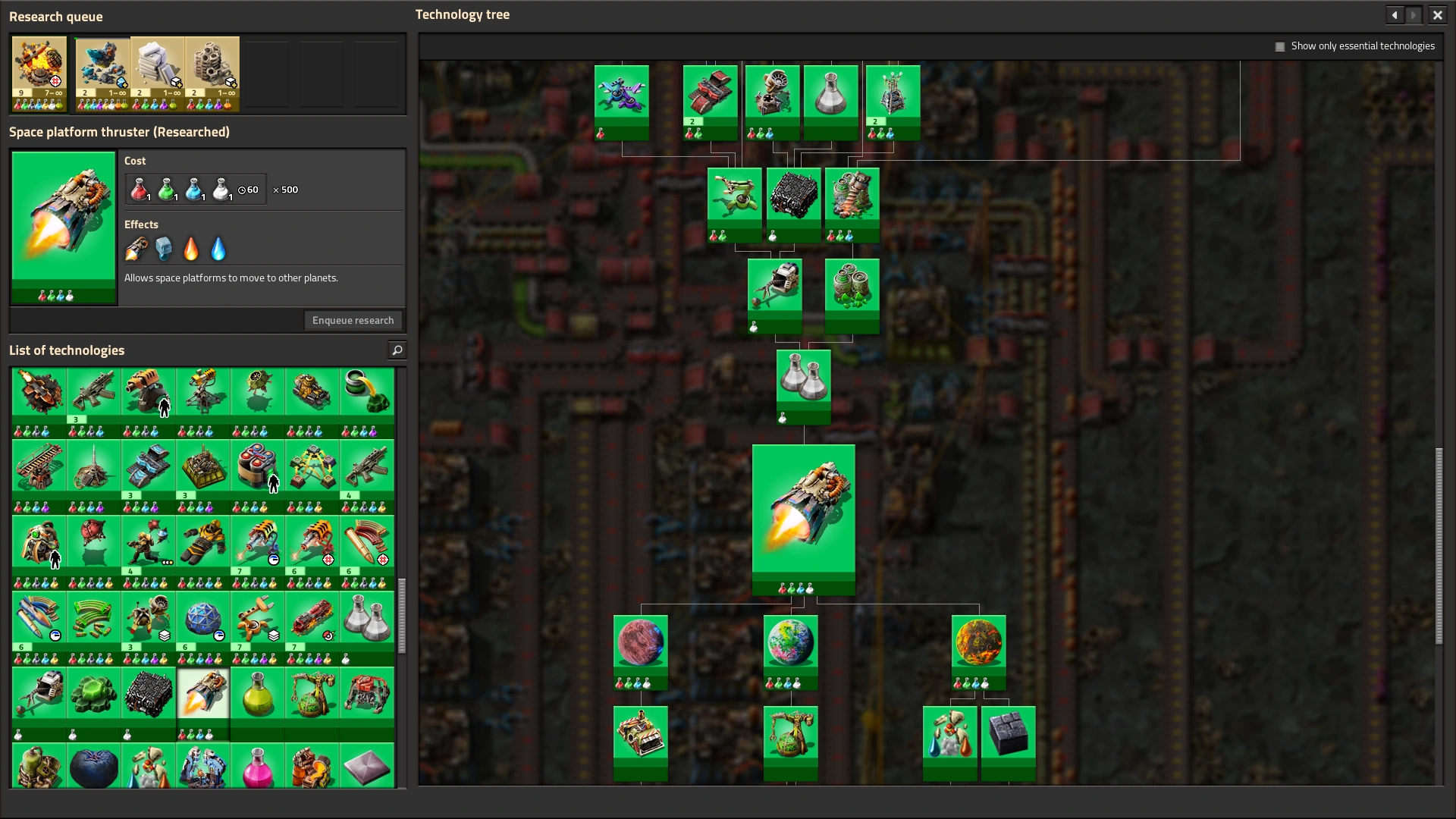
Keep the platform above your current planet while preparing it. If you still need one, put a Space platform starter pack in a ready rocket and use Build new space platform. Expand it with Space platform foundation, then build through remote view with materials delivered to the hub. You can finish this work before sending your character up.
Prepare the platform and send supplies separately
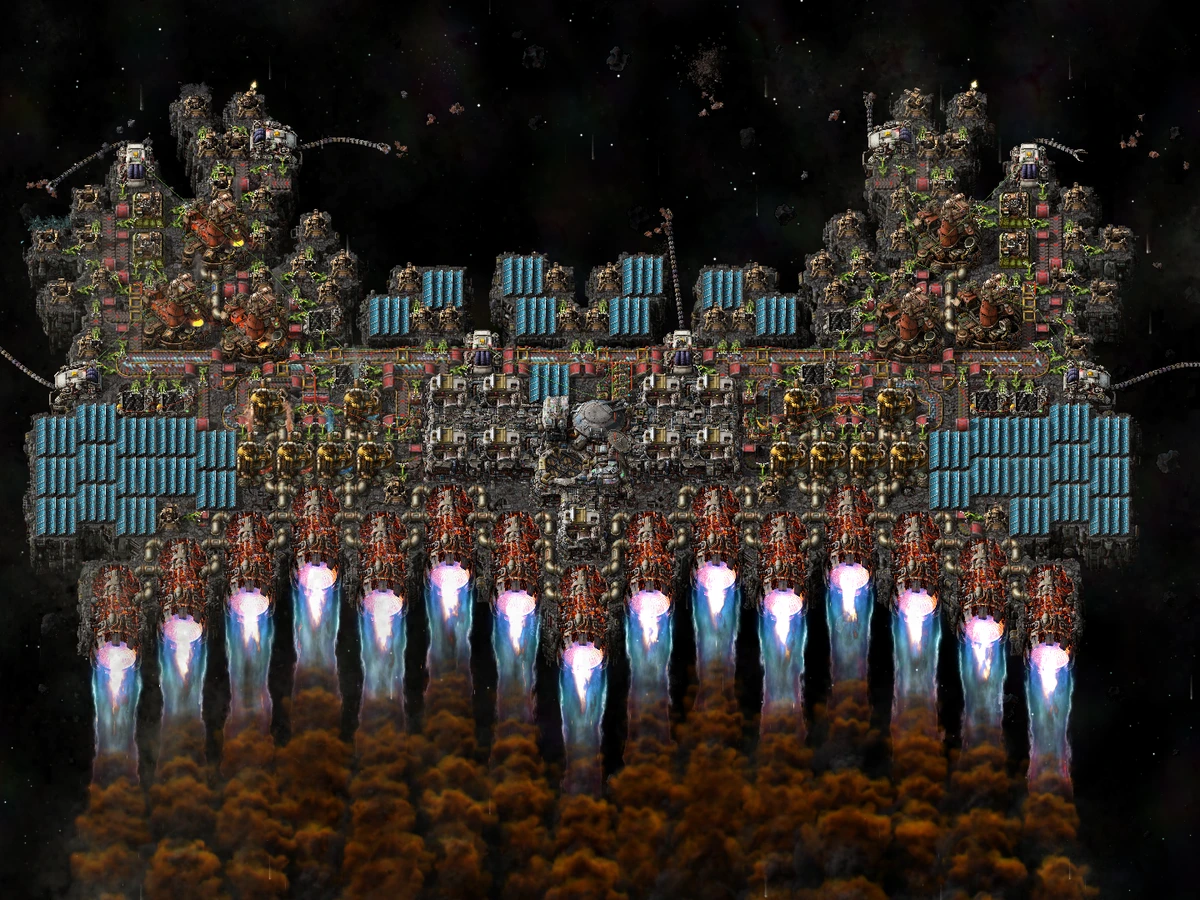
Fit a thruster on the platform's south edge and supply both Thruster fuel and Thruster oxidizer. Build a working chain of asteroid collectors, crushers and the machines needed to turn asteroid resources into those fluids. Add power, gun turrets and ammunition before departure: the larger asteroids beyond Nauvis can damage your platform, including its central hub.
Load the equipment you want on the new planet into the platform hub through cargo launches. Use its requests and the silo's Automatic requests from space platforms option when supplying it from your logistic network. On 2.1, automatic rockets can combine different requested items in one payload. Your personal passenger launch has a separate restriction: you can take equipped armour and guns, but your inventory, trash slots and ammunition slots must be empty.
Plan your return before leaving. Getting down uses a cargo pod, but getting back into orbit needs a rocket silo and another rocket on the destination planet. Send useful construction materials as cargo rather than leaving them in your pockets. If you are making upgraded components for a compact platform, our quality-module checks cover the production prerequisites.
Launch your character from the silo
Leave remote view and bring your character to the rocket silo. Wait for a ready rocket, empty all three sets of slots, then choose Travel to space platform and select the platform orbiting overhead. Keep the weapons and armour equipped; put spare equipment and ammunition into separate cargo deliveries.
A missing destination means the platform must return to your current planet's orbit. A message about remote view means you need to operate the silo with your character on the ground. After launch, your character rides inside the platform hub. Continue controlling the platform remotely rather than looking for a way to walk around its deck.
Fly to the planet, then choose your landing
Open the platform hub, use + Add station in its schedule and choose your researched planet. Set the platform to Automatic and select that destination in the schedule. Make sure its departure conditions allow it to leave, then watch its location and Speed as it begins the journey. Paused thrust stops the engines; switch back to Automatic when you are ready to fly.
Still waiting in orbit? Read the hub's status before changing the ship. Check both thruster fluids for a thrust problem. On 2.1, Waiting to clear drop slots means outgoing items are keeping the platform at its current planet. Hover the indicator beside Orbital drop slots to see whether a drop cooldown or busy surface stations are delaying them, then let those deliveries finish.
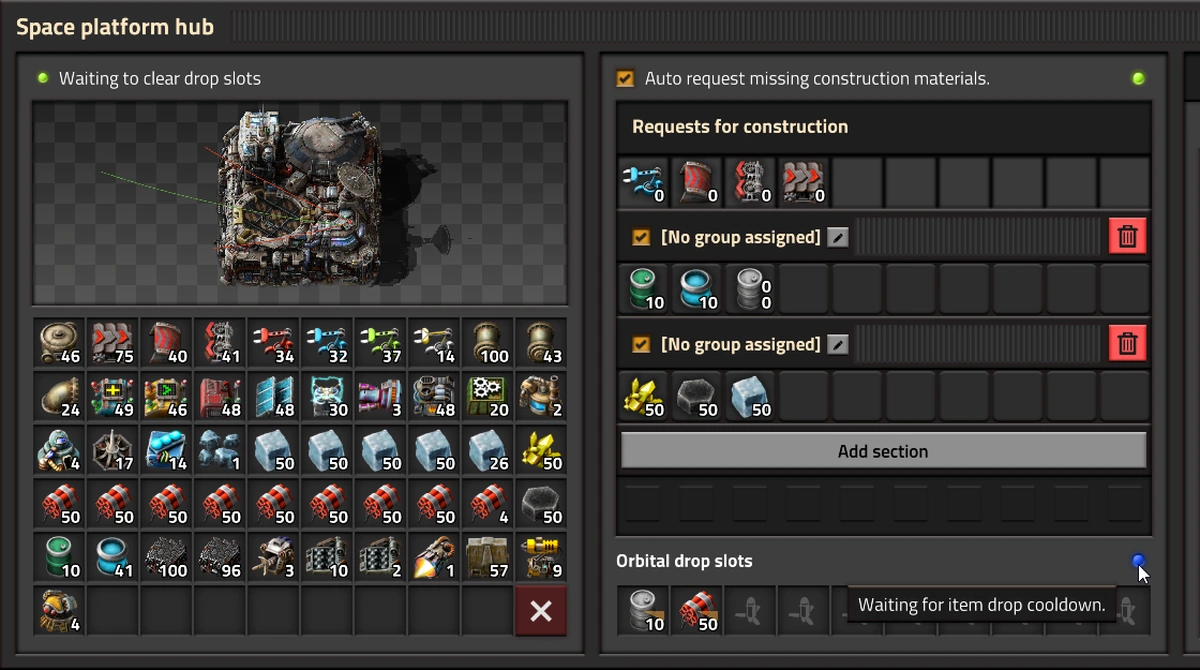
Use Drop to a planet in remote view and choose your destination. You can select it while travelling: Dropping to followed by the planet's name means your landing is queued for when the platform reaches that orbit. Wait for the cargo-pod descent and your character's arrival on the surface. Flying the platform there and landing your character are separate actions.
To unload your supplies, open the orbiting platform hub and move the items into Orbital drop slots. Use your stack-transfer control to send a stack at a time. A cargo landing pad collects deliveries; before you have one, cargo arrives in pods near the planet's starting coordinates. Collect those materials to begin building your new base and its return-launch infrastructure.
Sources
Where this story comes from, and where you can check it.
Official sources
- FactorioFriday Facts #449 - 2.1 Stable ↗
- FactorioFriday Facts #381 - Space Platforms ↗
- FactorioFriday Facts #382 - Logistic groups ↗
- FactorioFriday Facts #441 - Space logistics improvements ↗
- Wube SoftwareFactorio 2.1.23 (headless distribution) ↗
- Wube Softwarefactorio-data: Space Age technologies (2.1.23) ↗
- FactorioFactorio - Nintendo Switch 2 Edition out now! ↗
Independent reporting
- Denfaminicogamer『Factorio』最後の大型アップデート「2.1」が正式配信。今後はバグ修正などの長期サポートへ ↗