
You can reset your attributes in Cyberpunk 2077 once per playthrough, for free. After using that reset, work within your chosen attributes or change individual perks: those refunds remain free and repeatable outside combat. The one-use limit applies to new characters as well as older saves.
These rules arrived with Update 2.0 on 21 September 2023. This guide covers the 2.x game on PC, including Mac, PS5, Xbox Series X|S and Nintendo Switch 2, with later updates checked through 12 October 2026. PS4 and Xbox One use the older progression system, so keep those versions separate.
Keep the attribute reset for a bigger change
Use your one reset when you want to redistribute the points in Body, Reflexes, Technical Ability, Intelligence and Cool. Those attributes shape the perk trees you can build around. If you have already used it, there is no second built-in attribute reset to wait for or purchase. Concentrate on the abilities available within your current allocation instead.
A new playthrough gets its own one-time reset; the allowance is not reserved for characters created before Update 2.0. If you start directly with Phantom Liberty, you begin at level 15 with attributes selected for you. You can use the same free, one-time Reset Attributes option to redistribute them. Plan that change before spending the allowance.
Change perks without spending the reset
To rearrange abilities within your existing attributes, finish combat and refund the individual perks you want to replace. Put the returned perk points into eligible alternatives. You can repeat this outside combat without paying Eurodollars or using the attribute reset. Choose this smaller adjustment when your attributes already support the playstyle you want.
Look at the individual perk you are changing rather than searching for a button that refunds the entire perk tree. Update 2.0 removed the separate option to reset all perks at once. The free refund applies to each perk individually; the one-use restriction belongs to the attribute reset. Keep the two point types separate when deciding what to change.
Plan before committing your points
Open CD PROJEKT RED's browser Build Planner to compare a new allocation before committing it in your game. It includes the base game's perk trees and Phantom Liberty's Relic tree. Use it to check which attributes your intended abilities need, then choose between a perk adjustment and spending your unused attribute reset.
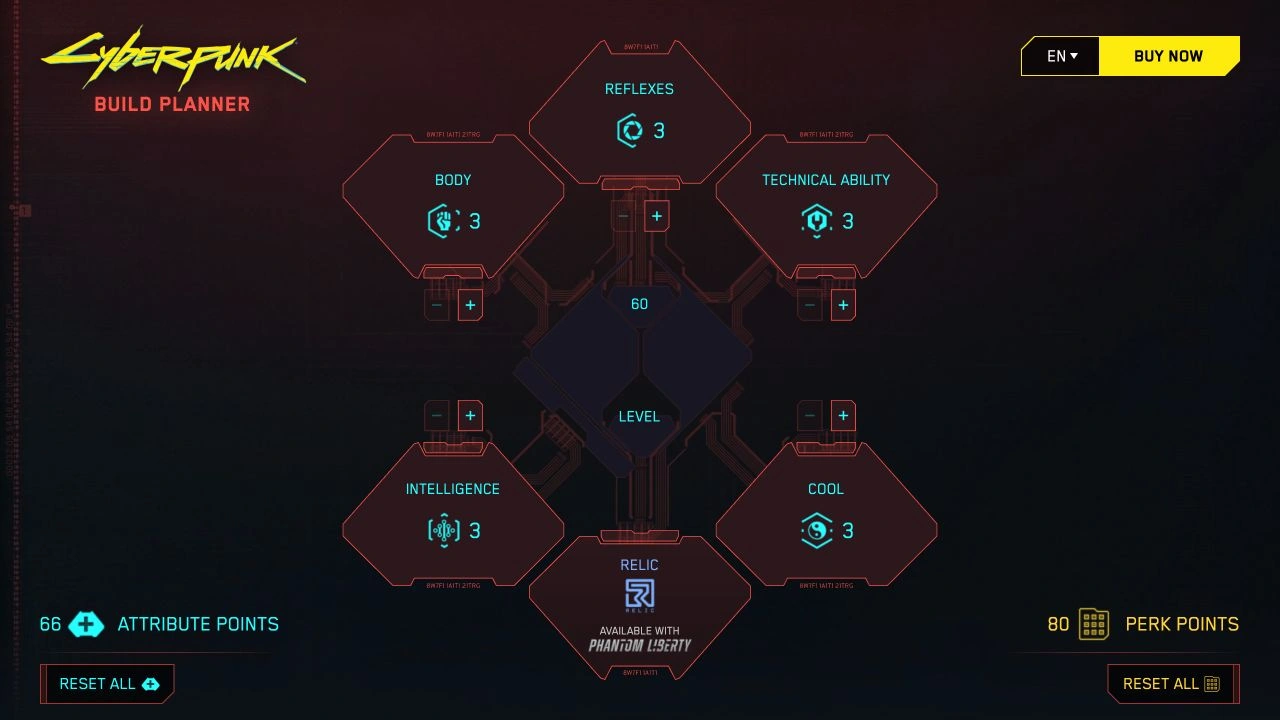
The planner's Reset All controls let you clear a hypothetical build and start another. They change the plan in your browser, not your saved character. Repeatedly resetting that web plan therefore does not give V another attribute reset. Keep your actual character's level and available points in mind rather than treating the planner's default level-60 example as your save.
Sources
Where this story comes from, and where you can check it.
Official sources
- CD PROJEKT REDUpdate 2.0 ↗
- CD PROJEKT REDREDstreams - brief summary and recap ↗
- CD PROJEKT REDCyberpunk 2077: Ultimate Edition Booklet ↗
- CD PROJEKT RED on SteamBuild Planner - craft your Cyberpunk 2077 and Phantom Liberty builds! ↗
- CD PROJEKT REDPatch 2.31 ↗
- CD PROJEKT REDCyberpunk 2077: Ultimate Edition Arrives on Nintendo Switch 2 Today! ↗