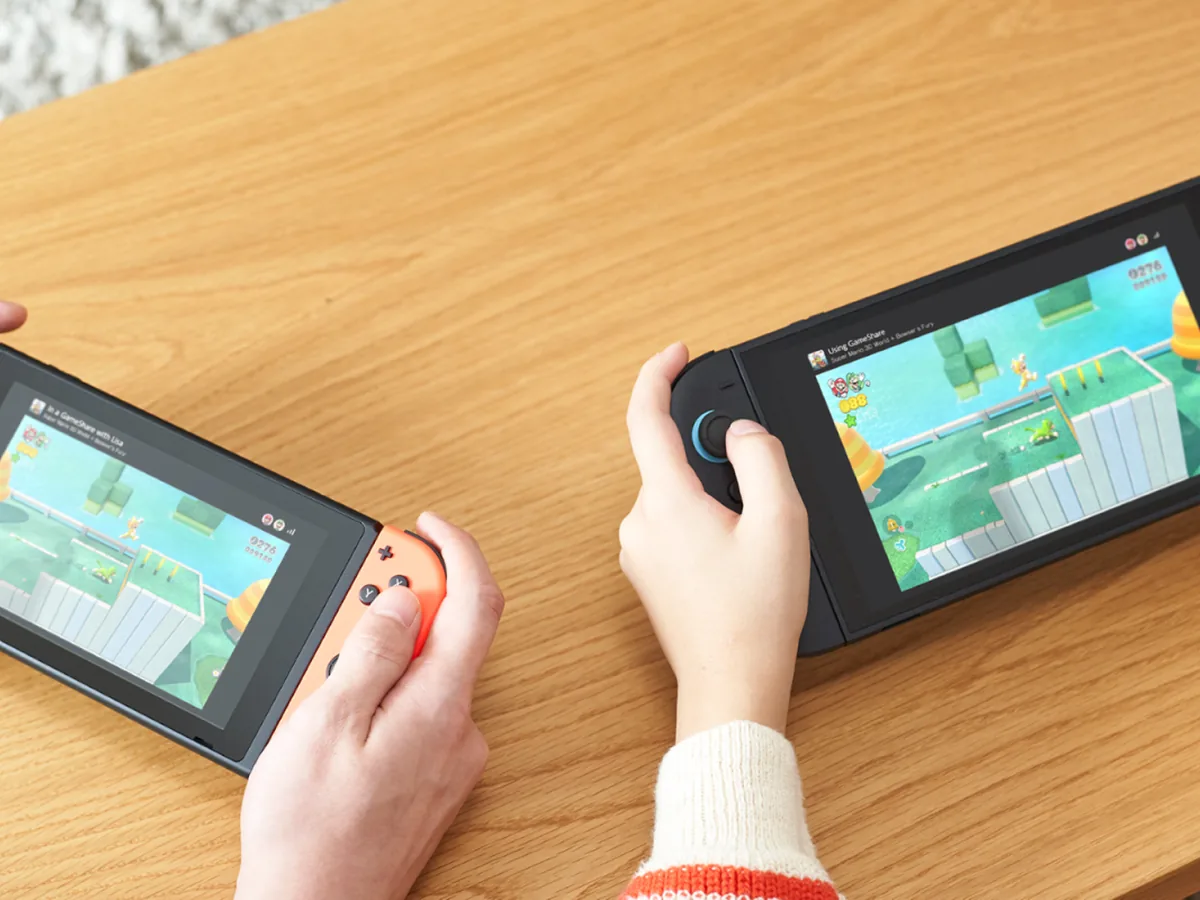
To use GameShare, start a compatible multiplayer game on the Nintendo Switch 2 that owns it, choose its GameShare option, and have the other players join; they don't need their own copy. Nearby guests join through local wireless on either a Switch 2 or an original Switch. Remote guests join through GameChat, and everyone must be on Switch 2 for that. GameShare streams a live session rather than handing over the game, and it only works with titles that support it.
Choose the route that matches your group
Nintendo Switch 2 GameShare needs one Switch 2 host and software that explicitly supports the feature. Nintendo says up to four Switch or Switch 2 systems can participate, but the supported mode and player count can differ by game. Before anyone gathers, update every participating console in System Settings, then check the game's Nintendo product page or its own multiplayer instructions. A game can support local GameShare, online GameShare through GameChat, or only one of those methods, so do not assume a compatible title supports both.
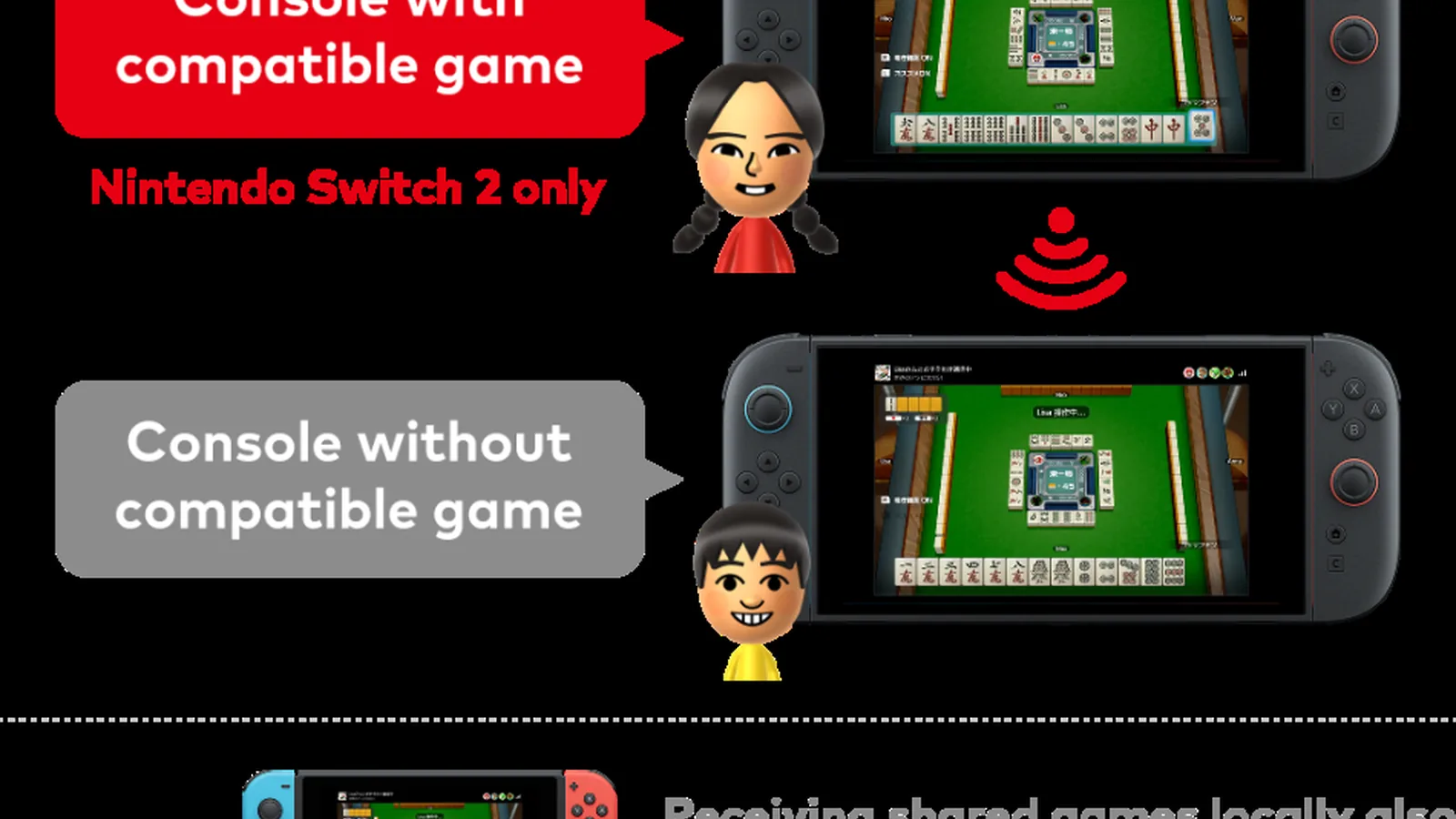
For people in the same room, local wireless is the broadest option. The host must use Switch 2, while guests can receive a supported session on Switch 2, Switch, Switch Lite or Switch OLED. The guest console does not need to own the game. For friends who are apart, every player needs Switch 2 because Nintendo limits online sharing to GameChat on that hardware. Online GameShare also has the usual GameChat account, membership and connection requirements, so local wireless is the safer choice when you are together.
Pick the correct GameShare route
- Nearby group
- Host from Switch 2; guests can use Switch 2 or an original Switch through local wireless
- Remote group
- Use GameChat; host and guests all need a Switch 2
- Game is not listed
- Use its normal multiplayer option instead; GameShare cannot be forced on
- Sharing a purchase
- Use Virtual Game Cards, which are separate from GameShare
Start and join a local GameShare session
On the host's Switch 2, open the compatible game and find its GameShare or multiplayer option. Where the option sits, and what it's called, varies by game. Select the local GameShare route and leave the host session ready for guests. On each guest console, select the GameShare icon on the HOME Menu, choose Join GameShare, then choose A Local User. Select the host user, wait for the nearby session to appear and choose Join GameShare. The host starts once the group is present.
Keep the group close enough for local wireless and do not switch to a normal online lobby midway through setup. If the session does not appear, first confirm that the host is a Switch 2, the game is specifically GameShare-compatible and every console has installed the latest system update. Then close the guest's GameShare screen, reopen it and search again after the host has opened the sharing option inside the game. The guest icon on the HOME Menu is for joining; it will not turn an original Switch into a host.
- Update all participating consoles.
- Start local GameShare from the compatible game on Switch 2.
- On each guest console, use GameShare, Join GameShare, then A Local User.
- Have the Switch 2 host start after every guest has joined.
Use GameChat when players are remote
Online GameShare runs through a GameChat room and is limited to Switch 2 systems. Create or join the relevant GameChat room, then let the host open the compatible game's GameShare option and invite the room. A guest can press the C Button to open the C Menu, choose See Invites to GameShare and select Join GameShare. Nintendo also allows guests to open the HOME Menu's GameShare icon and choose a user in a GameChat session. The host begins once the invited players have joined.
Treat this as a temporary play session, not a remote download. A guest can play a game received online only for the GameChat session in which it was shared, and cannot continue when that session ends. Nintendo also warns that delay can depend on distance and the network environment, while streaming can reduce image quality. Use a stable connection, and prefer the game's own online multiplayer if every player owns it and its native mode better suits the group. Whether a guest can save progress depends on the game.
Know the limits before troubleshooting
The most common dead end is trying a game that has no GameShare support. Nintendo's own GameShare page lists selected compatible games and distinguishes local from online support; developers can add compatibility through updates, so recheck it after a patch rather than relying on an old list. A Switch can receive a supported local session from Switch 2, including some Switch 2 software, but it cannot host one and cannot join online through GameChat. Hardware or control requirements can also make a title unsuitable for an original Switch guest.
GameShare is also different from lending a digital purchase. Virtual Game Cards load or lend a licence under separate account and family-group rules, while GameShare uses streaming to let guests participate in a live compatible session. If your aim is to let a family member play alone after you leave, GameShare is the wrong tool. If your aim is to play together on separate screens without every person buying the game, confirm compatibility, choose the correct route and let the Switch 2 owner host. That is the fastest safe route.
GameShare at a glance
- Local
- One Switch 2 hosts; supported Switch and Switch 2 consoles can join nearby.
- Online
- Every player needs Switch 2, GameChat access and a compatible game.
- After the session
- Online guests lose access when the GameChat session ends.
Check the title's current GameShare support before arranging the group, because compatibility and supported modes remain game-specific.
Sources
Where this story comes from, and where you can check it.
Official sources
- Nintendo UKNintendo Switch 2 GameShare ↗
- Nintendo SupportGameShare Overview and FAQ ↗
- Nintendo SupportHow to Play Together via GameShare ↗