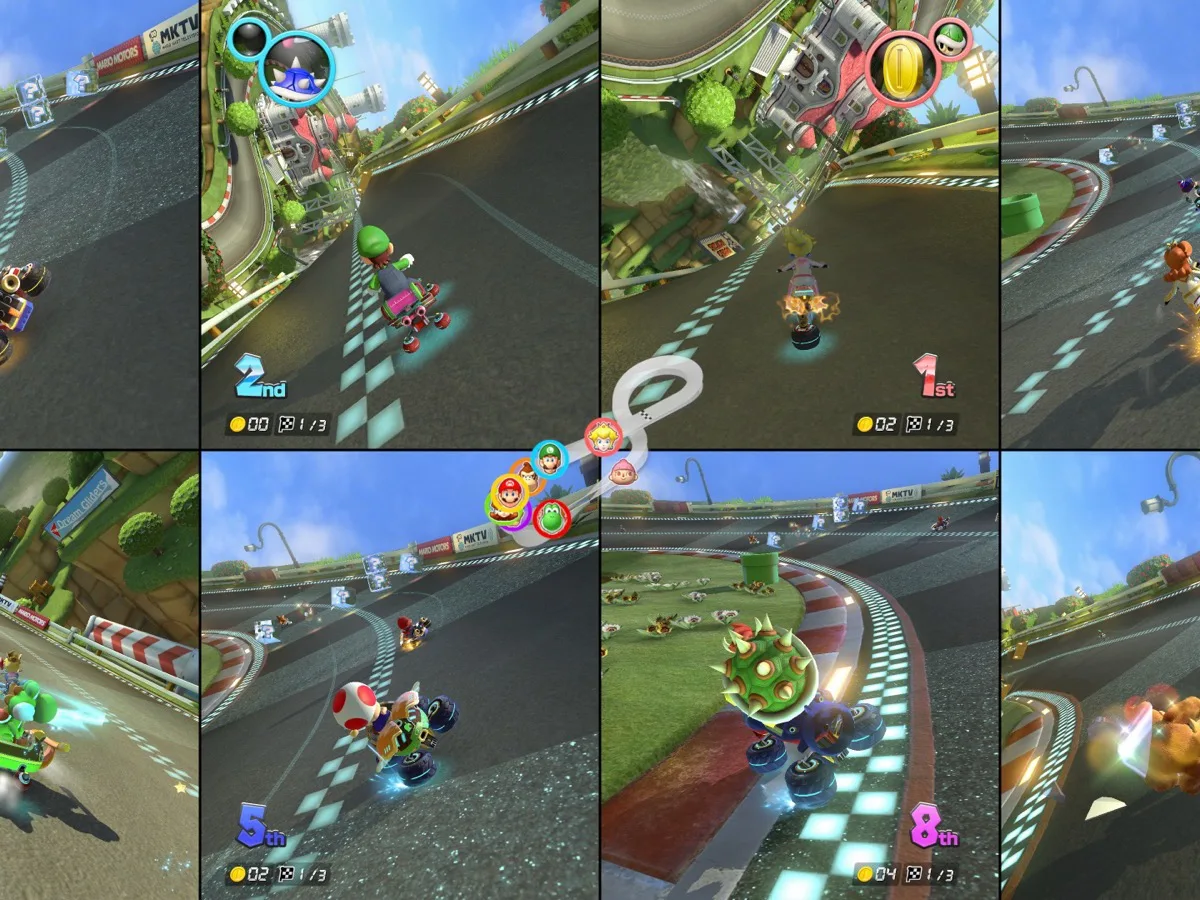
To play 8-player split screen in Mario Kart 8 Deluxe, update the game to Version 4.0.0 on a Nintendo Switch 2, pair one controller per player, then choose five to eight players from Multiplayer. At least one of those controllers must be a Joy-Con 2 or a Nintendo Switch 2 Pro Controller; older Joy-Con and Switch Pro Controllers can cover everyone else. Everyone races on one console and one screen, so you don't need Nintendo Switch Online once the update is installed.
Check the console, game version and controllers first
Eight-player multiplayer arrived in Version 4.0.0 on 2 September 2026, and it only works on Switch 2. The same update improves visuals and loading times on the newer console, but an original Switch still tops out at four players on one screen. Make sure the console running the race is a Switch 2 and update the game before the group arrives.
Connect the Switch 2 to the internet, return to the HOME Menu and launch the game. Nintendo says the update should download and install automatically; the title screen then displays the newest version number. If that does not happen, highlight the game on HOME, press + or -, choose Software Update, then Via the Internet. The update preserves existing save data. It is also required for online features, and Nintendo warns that updating prevents local wireless matchmaking with players on an earlier game version. A single-console party is unaffected, but update every console if you plan to switch between couch play and local wireless.
Count controllers before opening the game. Nintendo's update notes say a Switch 2 can use up to seven original Switch controllers for this mode, but an eight-player race requires at least one Joy-Con 2 or Switch 2 Pro Controller. You still need one compatible controller per person. Charge them beforehand, especially if the session will be long. A Bluetooth audio device can restrict the number of wireless controllers that can pair, so disconnect Bluetooth audio before setting up a large group rather than troubleshooting missing player slots while everyone is waiting.
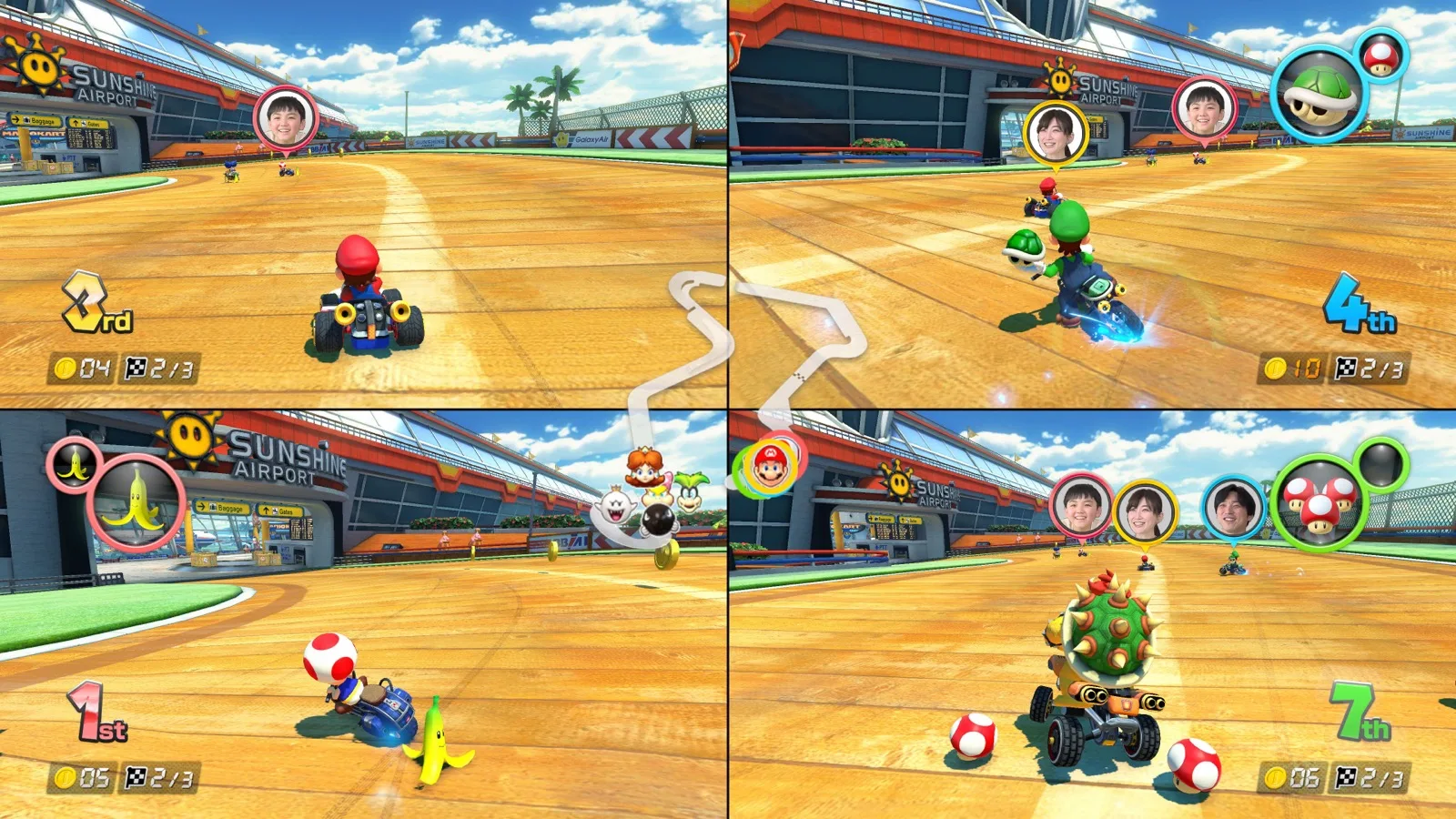
Pair the group, then choose the eight-player option
From the HOME Menu, open Controllers and select Change Grip/Order. For each wireless controller, hold its SYNC Button for at least one second; Nintendo says the matching player LED stays lit once it is paired. Confirm how each Joy-Con or Joy-Con 2 will be held before moving on. Fix connection problems here: the screen shows whether all eight inputs are registered. If you are using a wired Switch 2 Pro Controller, it can instead pair through a USB-C connection to the console or dock.
Open Mario Kart 8 Deluxe, select Multiplayer, and choose the five-to-eight-player option when the player-count screen appears. Each player should then join with their assigned controller and select a character, kart and controls before you choose the race type. The game supports standard local Multiplayer for the new player count; it is not a GameShare or local-wireless feature. Keep the whole group on the one Switch 2: a second console doesn't add to the eight-pane screen, and an older Switch can't host it.
- Use one Nintendo Switch 2, a television and Mario Kart 8 Deluxe updated to Version 4.0.0.
- Prepare eight compatible controllers, including at least one Joy-Con 2 or Nintendo Switch 2 Pro Controller.
- Pair each wireless controller through HOME Menu, Controllers, then Change Grip/Order.
- Start the game, select Multiplayer, then select five to eight players.
- Have every player confirm their controller, racer and vehicle before selecting a race.
Set expectations for screen space, CameraPlay and rules
Eight panes on one screen are small. A large television and seats close enough to read each person's item display make more difference than chasing a particular picture setting. The mode is best treated as a shared-room event: choose short cups or VS races, agree whether frantic items are the point, and let players who are eliminated from a battle take turns in the next round.
CameraPlay is separate from the eight-player feature. With a compatible USB-C camera connected, the update can display players' faces in local Multiplayer or through GameChat. However, Nintendo limits local CameraPlay to two to four players. In an eight-player couch race, leave the camera unplugged. For online use, GameChat additionally needs internet access, a paid Nintendo Switch Online membership and the required account setup. None of those are required for the basic eight-player local race, so leave CameraPlay off if the purpose is simply getting everyone racing quickly.
Version 4.0.0 also raises every racer's baseline speed by the equivalent of one coin, and adds a 96 Races VS Race rule for players who have access to the Booster Course Pass. Those changes apply to the current version rather than being eight-player-only settings. If your group has played for years, expect the opening pace to feel a little different and check the rules before starting a marathon. The practical order is simple: update first, pair all eight controllers, select the five-to-eight-player menu entry, then save the optional camera and longer-race rules for after the first race is working.
Eight-player setup at a glance
- Console
- Nintendo Switch 2 only
- Game version
- Mario Kart 8 Deluxe Version 4.0.0 or newer
- Controllers
- Eight total, with at least one Joy-Con 2 or Switch 2 Pro Controller
- CameraPlay
- Optional, but local CameraPlay supports two to four players only
Once the player-count menu accepts five to eight players, the local race setup is complete.
Sources
Where this story comes from, and where you can check it.
Official sources
- Nintendo UK SupportHow to Update Mario Kart 8 Deluxe ↗
- Nintendo UKFree update now available for Mario Kart 8 Deluxe ↗
- Nintendo UK SupportHow to Pair Joy-Con 2 Controllers to Nintendo Switch 2 ↗